Features
Everything Madar does, from opening to close.
The till, the kitchen, the dashboard, ordering and loyalty: one system on one ledger, in Arabic and English.
Coming from Foodics?
Bring your menu with you.
Madar reads the menu you export from Foodics: its categories, items, sizes and choices. You see all of it before anything is saved.
-
Export your menu from Foodics
Sign in to the Foodics console as a user who can read and manage the menu, such as the owner. Under Menu, open Categories, Products, Modifiers and Modifier Options, choose Import/Export, then Export on each; on Products, export the product modifiers too (which item takes which choices). Download the CSV files.
-
Drop the files into Madar
On the menu step of your Madar setup. The files stay on your device: Madar reads them in your browser and sends only the menu.
-
Check the preview
Every category, item, size and choice, and anything Madar had to skip, before anything is saved. Arabic names come from the Arabic names in Foodics, where you added them.
-
Sell
Save, and the menu is on your till.
Foodics is a trademark of its owner. Madar is not affiliated with or endorsed by Foodics.
The state of the art
What today's POS gets wrong.
- 01
Treating offline as a failure.
Most systems treat a dropped connection as a total failure. The shop in Maadi shouldn't stop making money because the cell tower went down.
- 02
Poor local support by default.
Arabic receipts, right-to-left screens and Star and Epson printing, cash drawer included, shouldn't be optional toggles. They need to be native.
- 03
Hiding your own numbers.
Yesterday's revenue by branch, your true ingredient cost, this month's shrinkage: most systems make you file a ticket or wait for a morning email.
- 04
Selling without a ledger.
A POS that rings sales without making stock and cash reconcile is an iPad calculator, not an operating system for a real business.
Under everything
One ledger.
The till, online orders, stock and loyalty all write to the same ledger, and every dashboard, export and Basira answer reads from it. That's why the numbers agree.
Till & control
A till that counts blind.
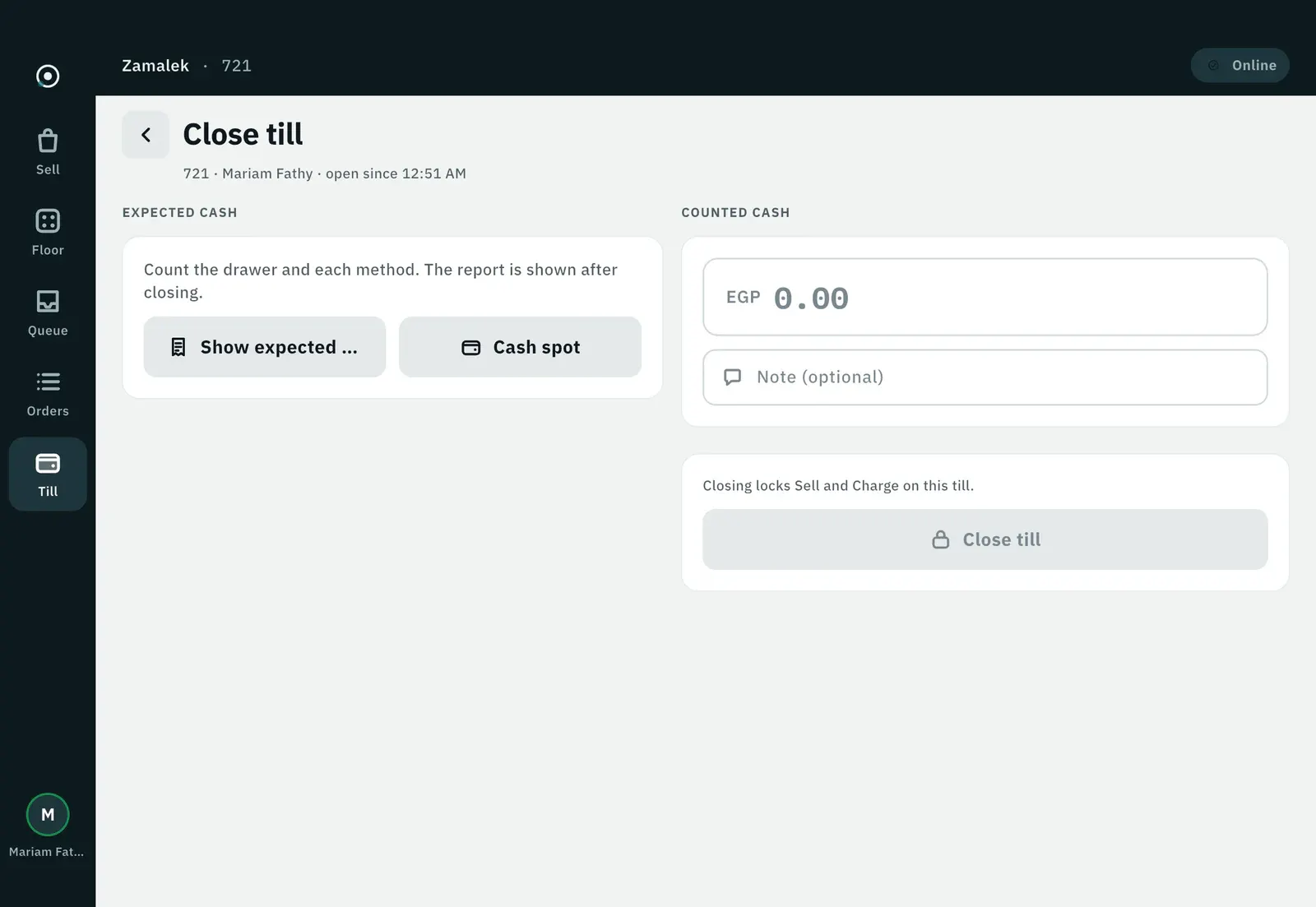
The till is a strict ledger. Every pay-in and pay-out is recorded with its reason and its person, so the expected drawer is a calculated number, not a guess. Tellers count first; the expected figures stay hidden until the till is closed.
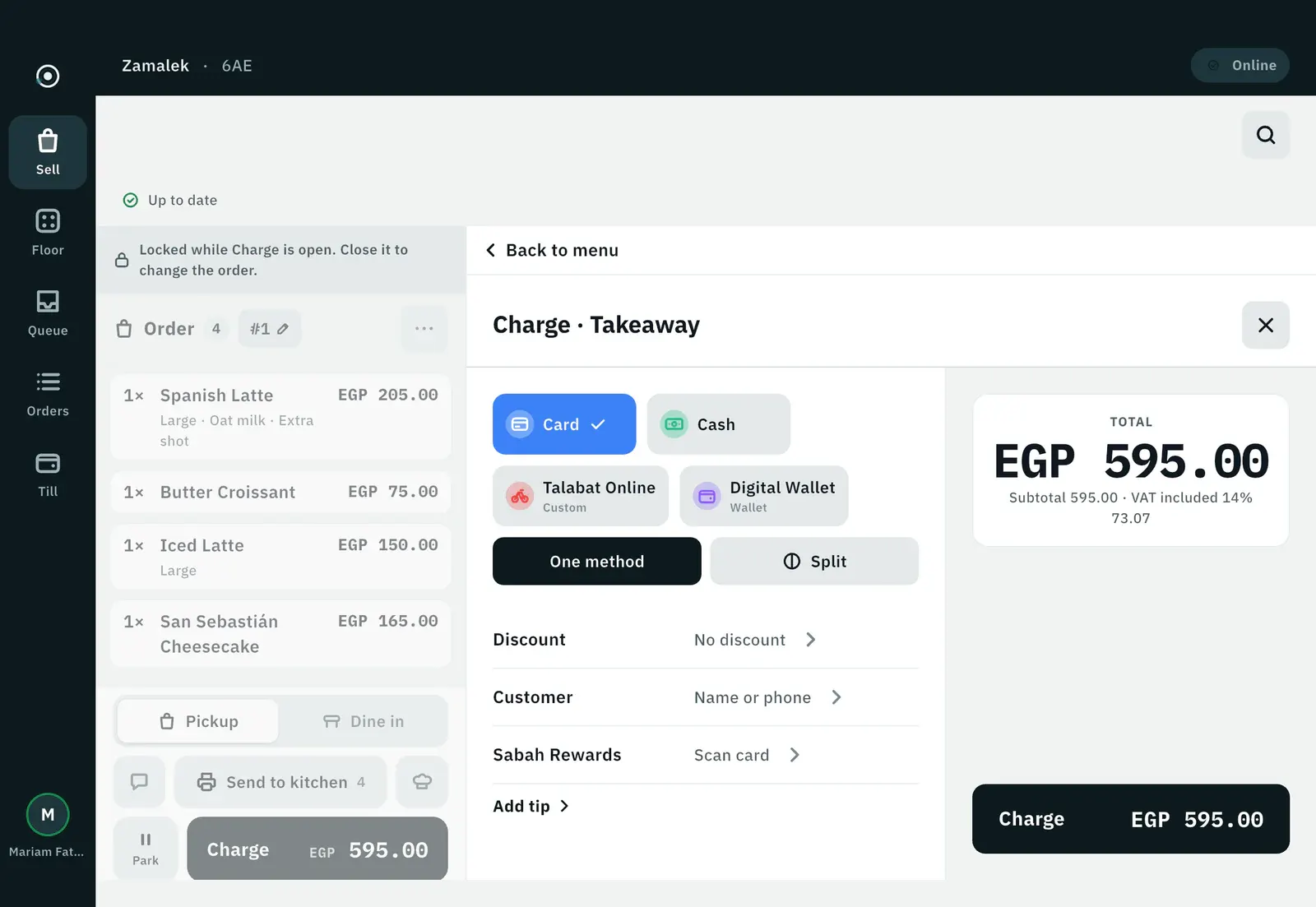
- Split one order across cash, card, wallets and your own methods, with the change worked out for you.
- Tips go on their own method, so a card tip never touches the cash drawer.
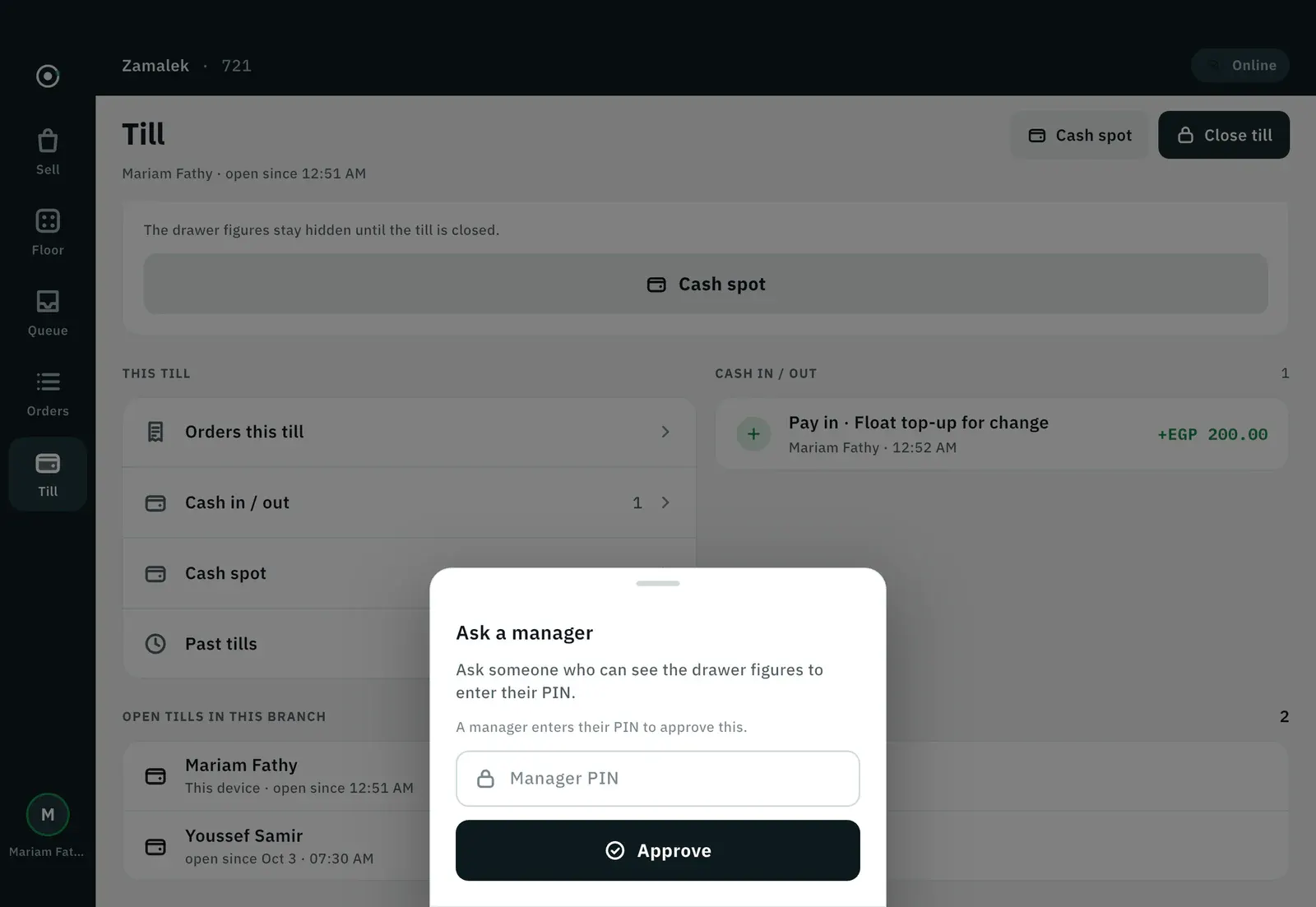
- Limits, not trust: above a teller's limit, a manager's PIN approves that one discount, void, refund or cash spot.
- A till opens against the previous close, and any difference needs a reason.
- Done offline without permission? The sale stands and is flagged for a manager to clear.
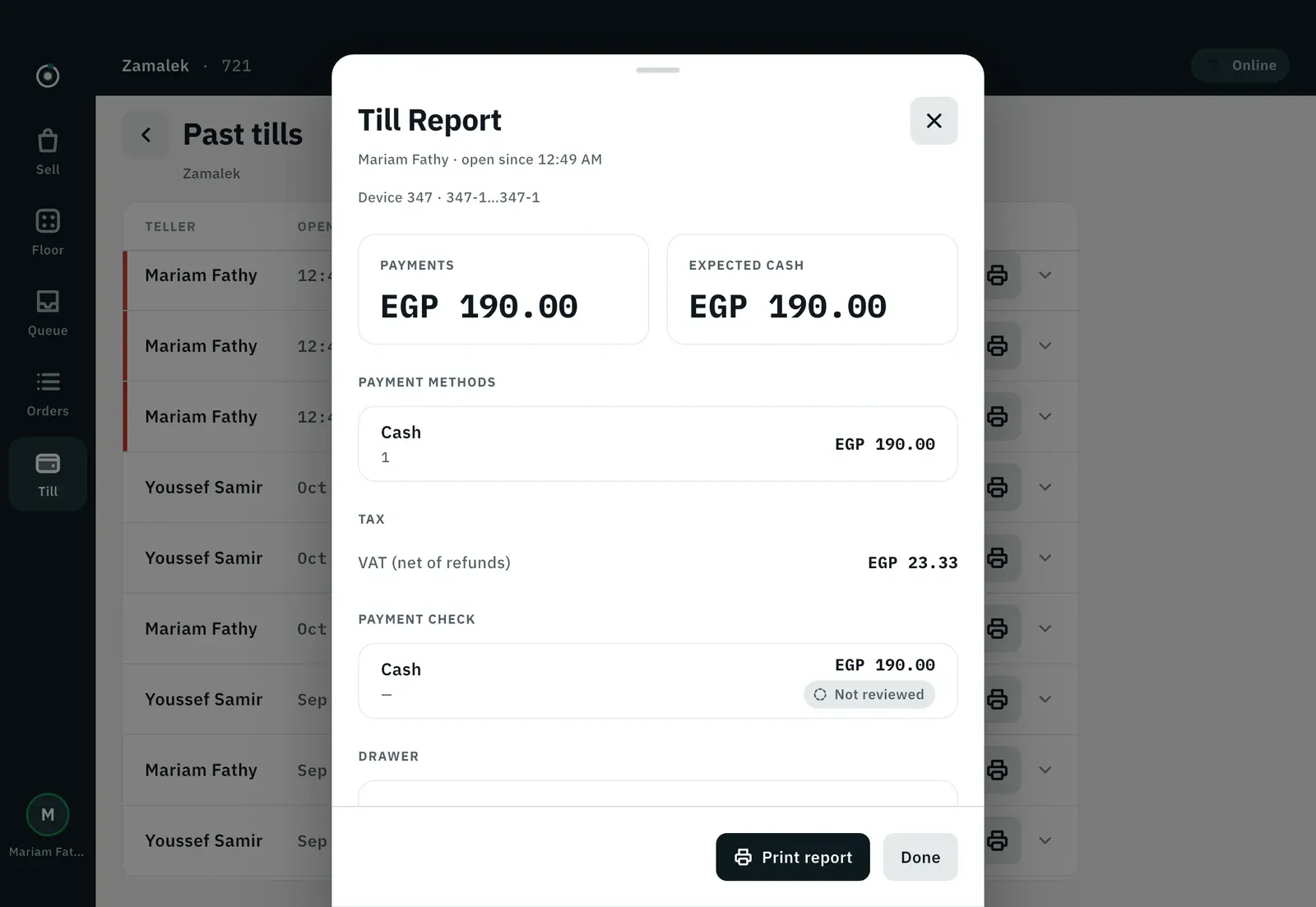
- Full till histories, each one flagged balanced, short or over.
Inventory & true cost
True cost, down to the gram.
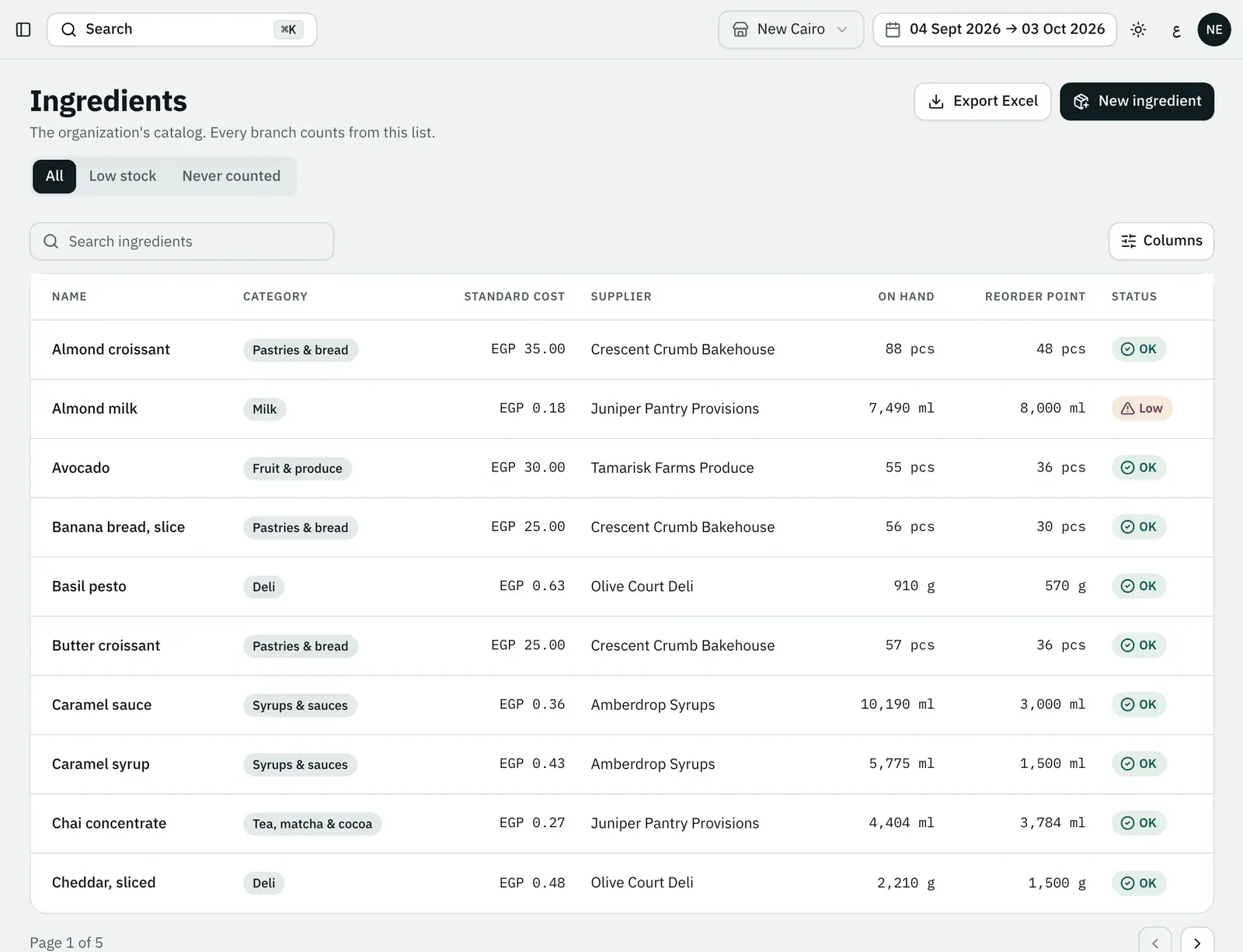
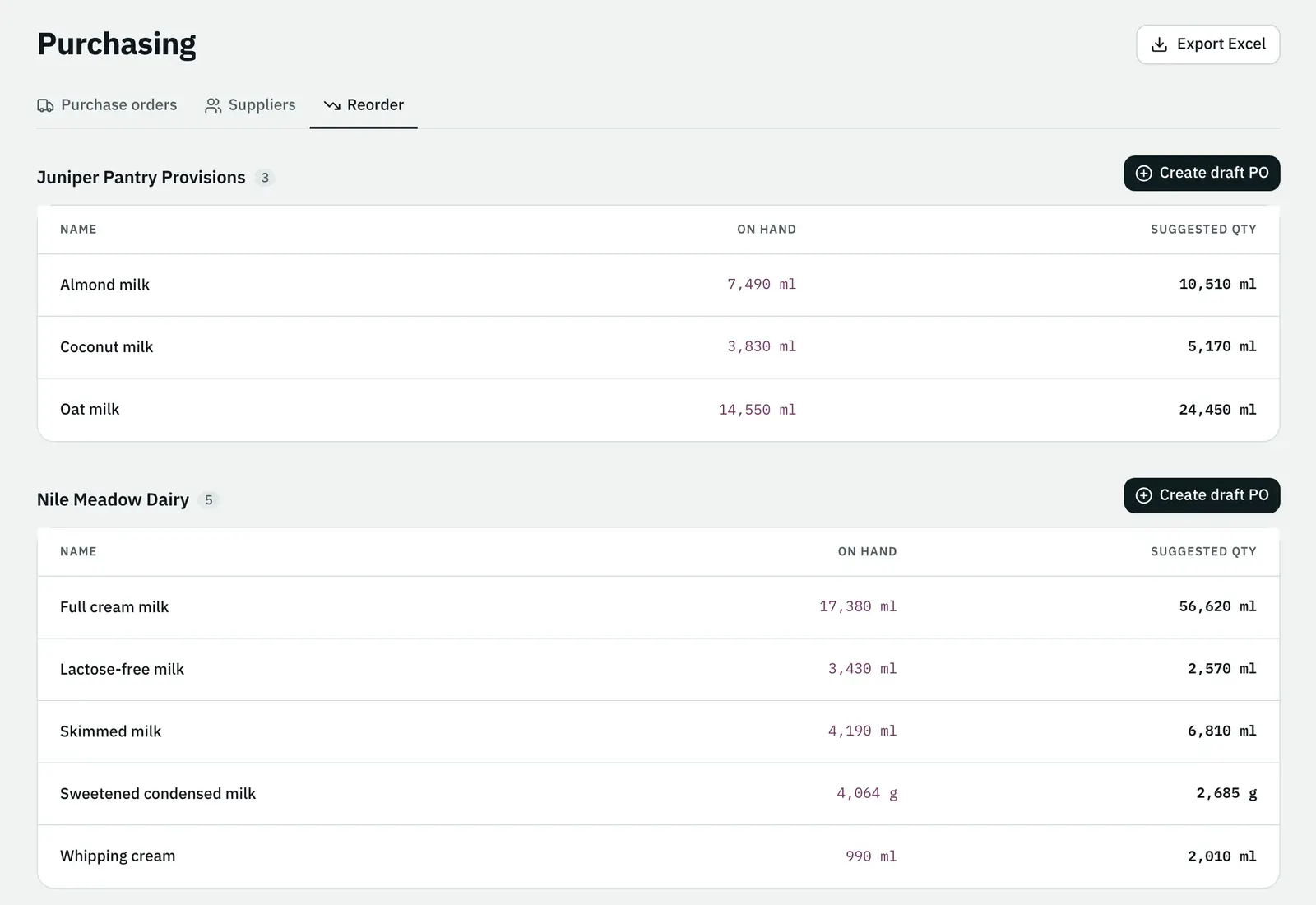
One ingredient catalogue for every branch. Reorder suggests what to buy from each supplier, receiving updates stock and cost together, and every recipe shows its cost and margin per size.
- Weighted-average cost: each delivery re-weights what an ingredient really costs, and recipe costs follow.
- Sales, waste, transfers, purchases and counts each leave a signed entry. Nothing is overwritten.
- Stocktakes on their own schedule, with the variance worked out against the ledger.
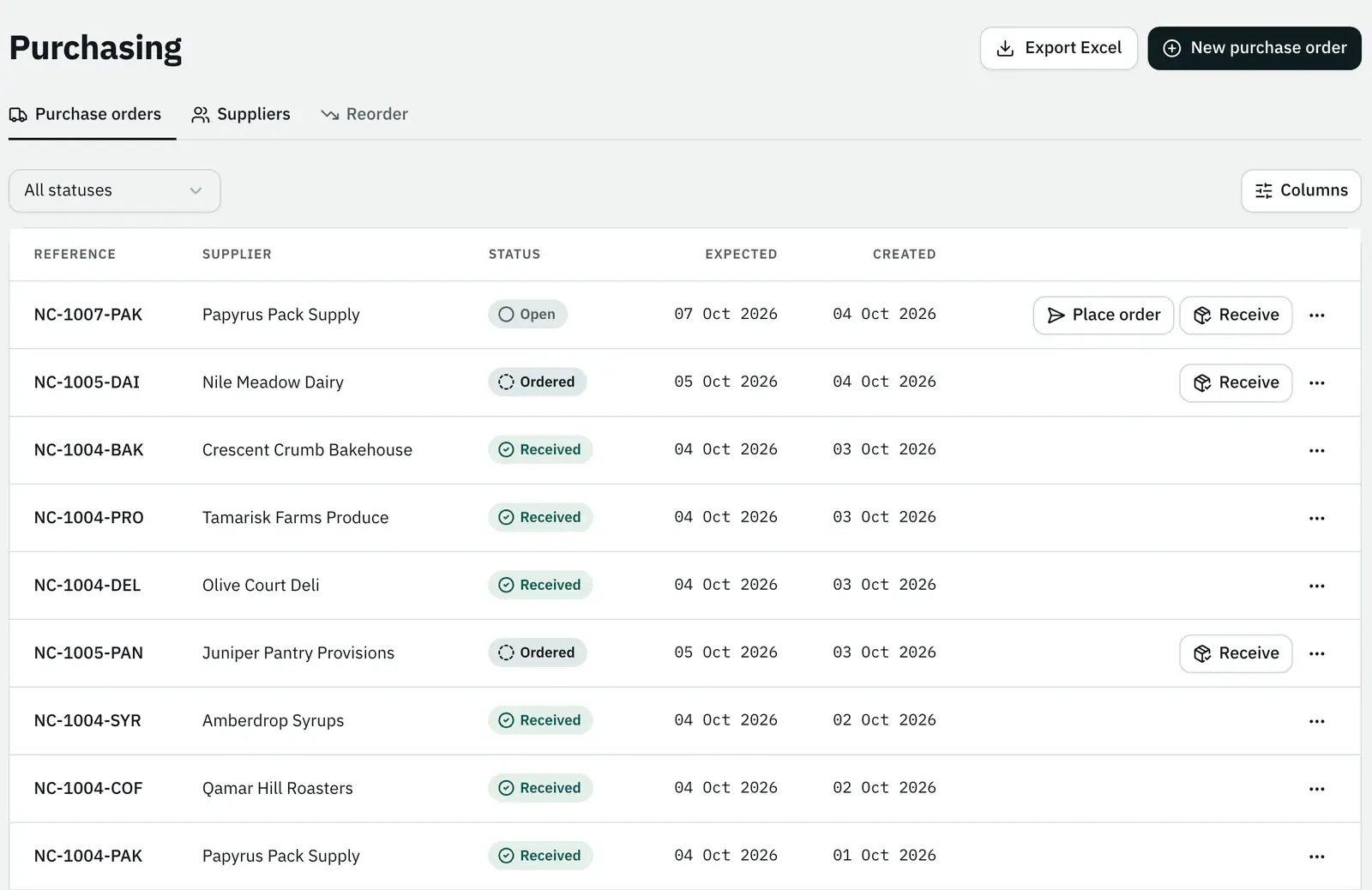
- Purchase orders from draft to received, with partial receipts and pack-size conversions.
- Every order line freezes its cost at the moment of sale: read history as it happened, or at today's costs.
- Log waste by reason, at the till or in the dashboard, and move stock between branches with both sides written at once.
Counter & barista
Recipes that run the counter.
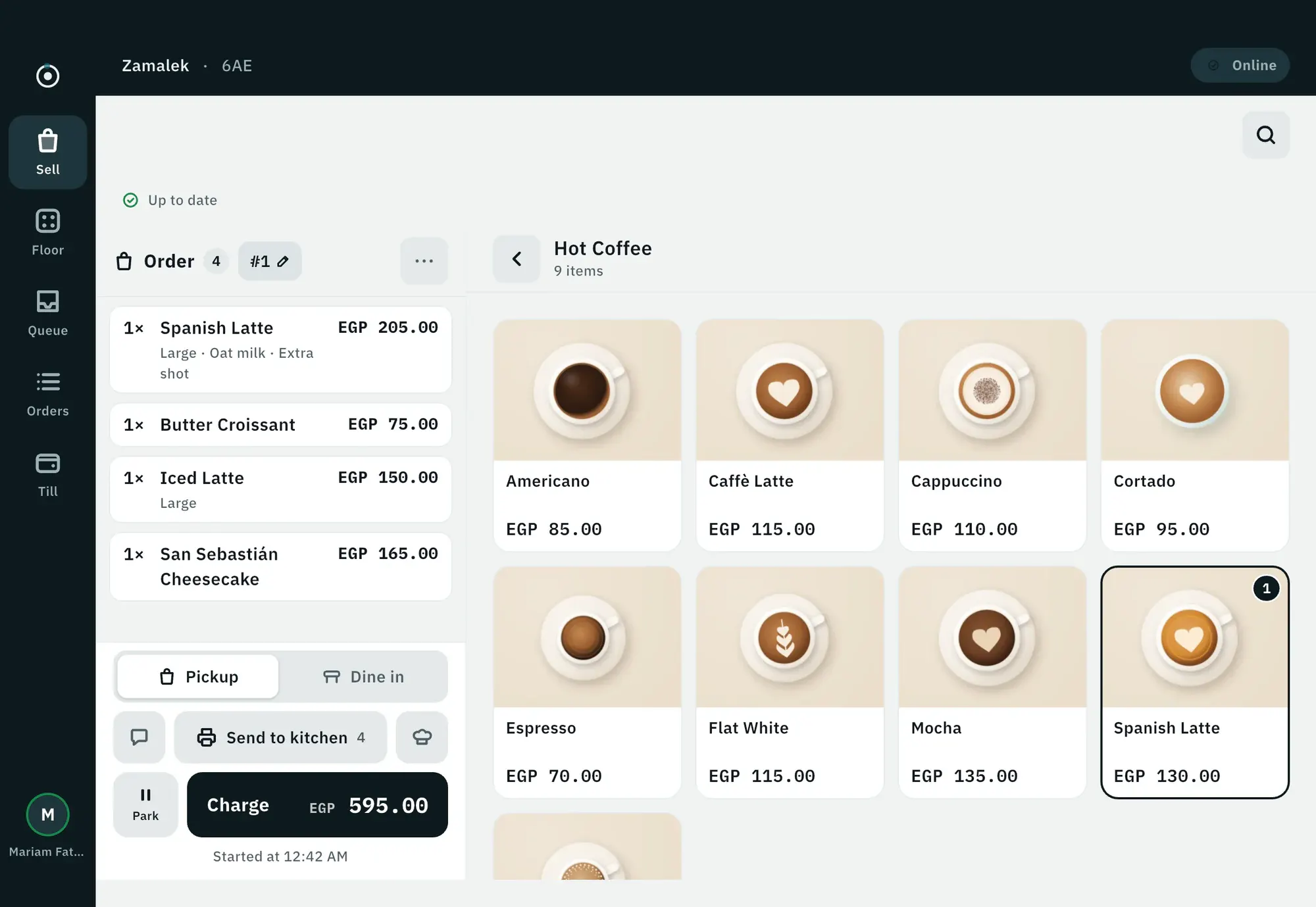
Madar recipes don't just total a cost; they drive the workflow and the stock. Every sale deducts the exact ingredients it used, so training time drops and the signature drink tastes the same whoever is on shift.
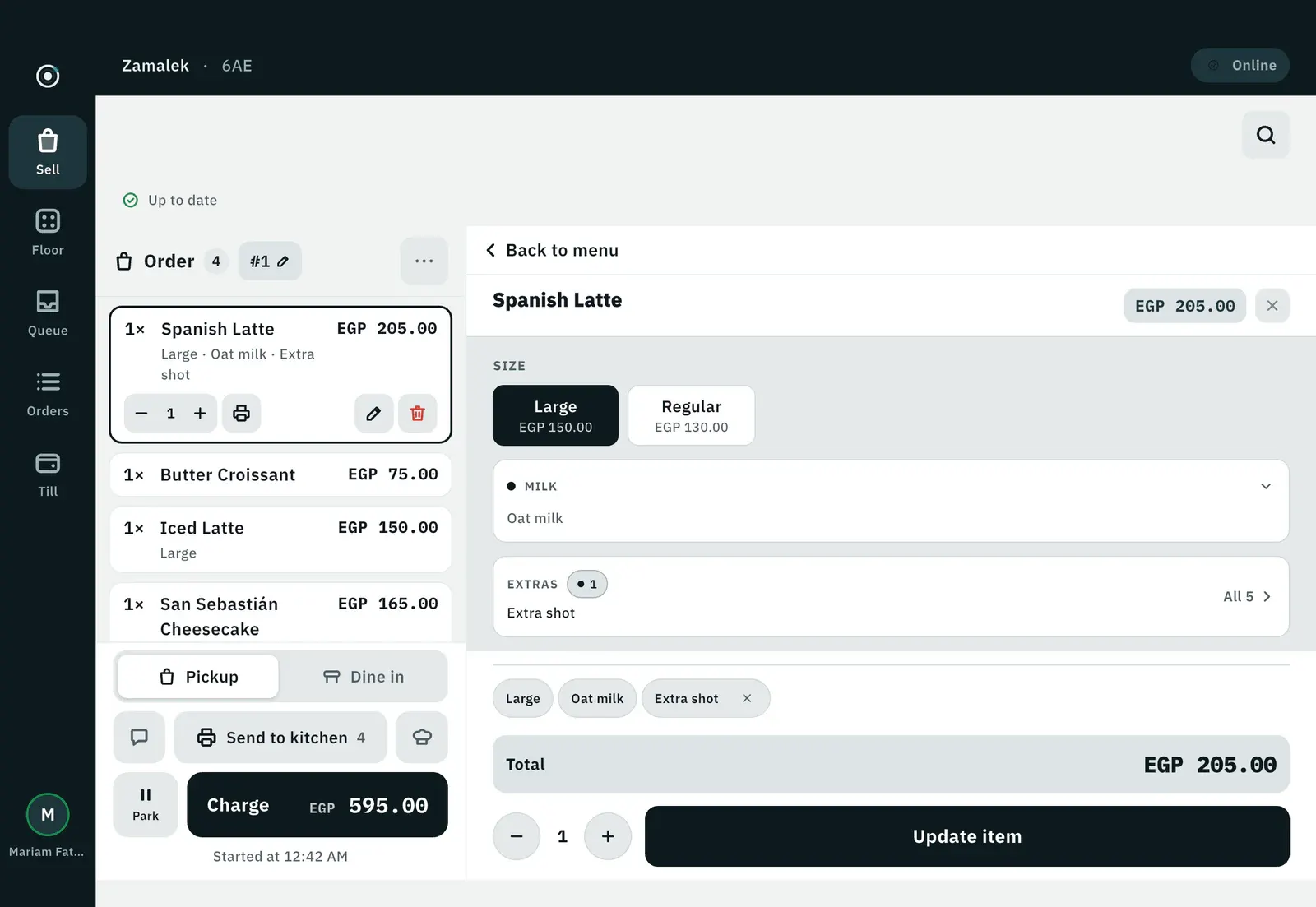
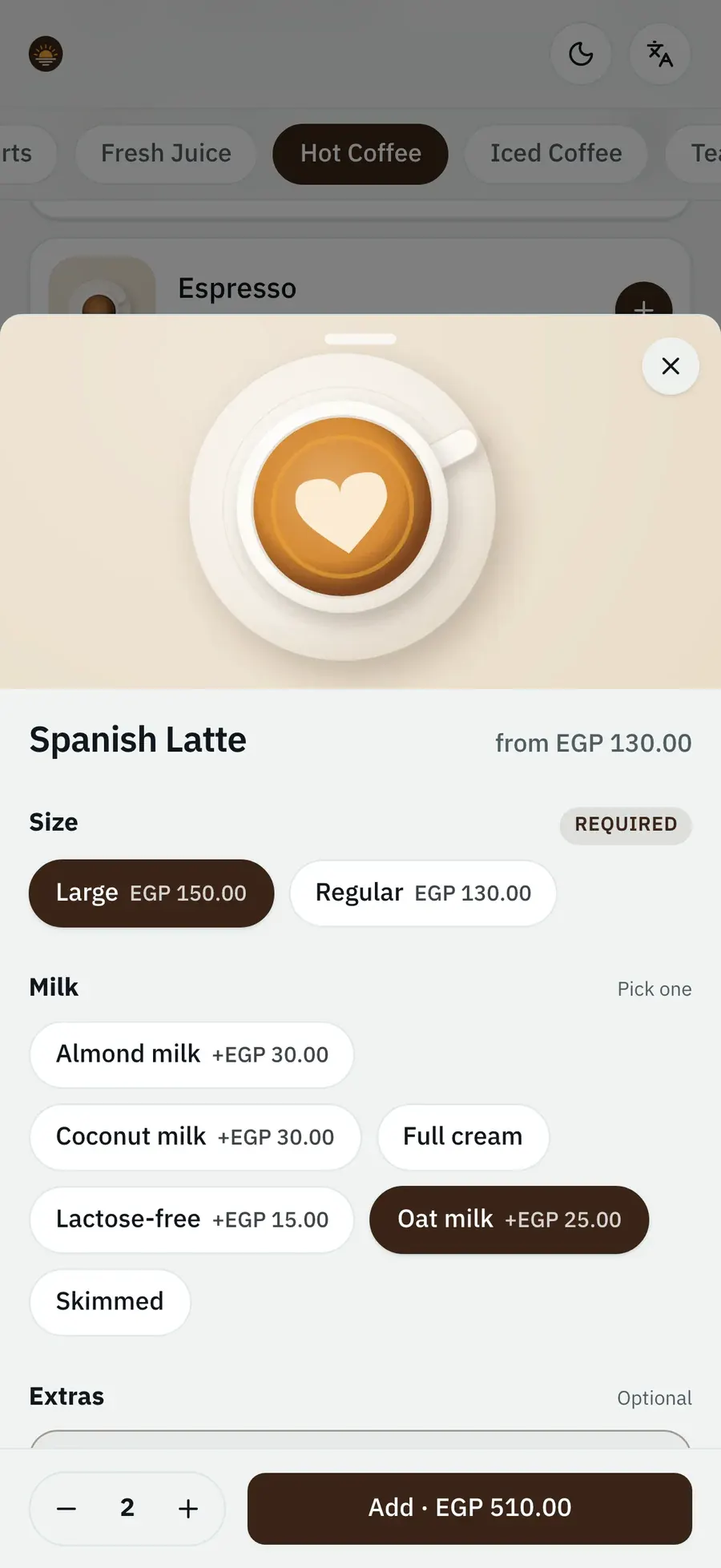
- Every choice priced at the till: the size, a milk swap, an extra shot.
- Swap whole milk for oat and the recipe replaces the ingredient instead of counting it twice.
- Prep steps for each drink, with an animation for every step, in Arabic and English.
- Per-size recipes, shared recipe bases, and packaging rules that add the right cup, lid and straw.
- A Fast mode built for the queue, on an iPad or an Android tablet.
- Arabic and English receipts on Star and Epson printers, cash drawer included.
Floor, kitchen & QR
Every table and every station, live.
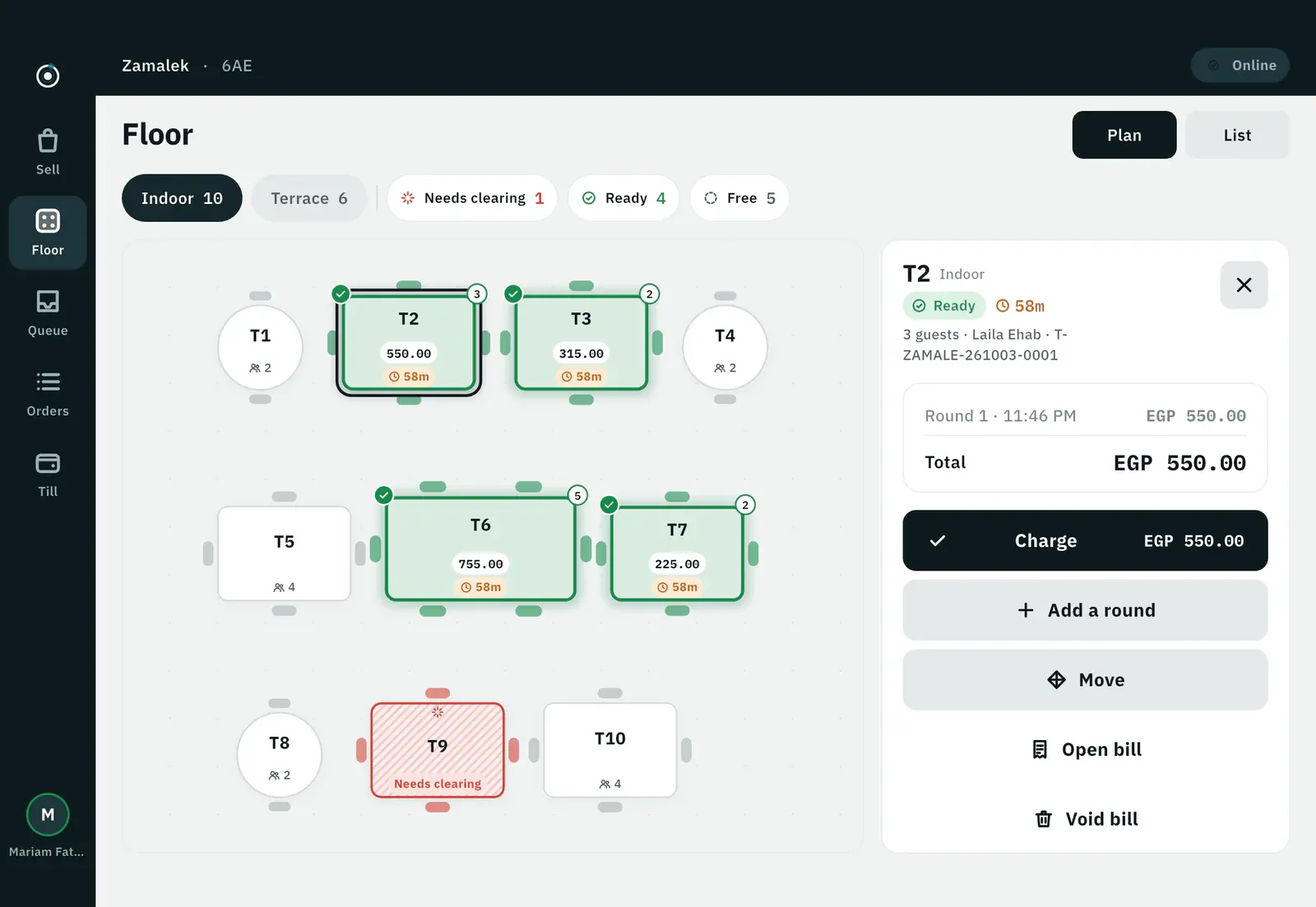
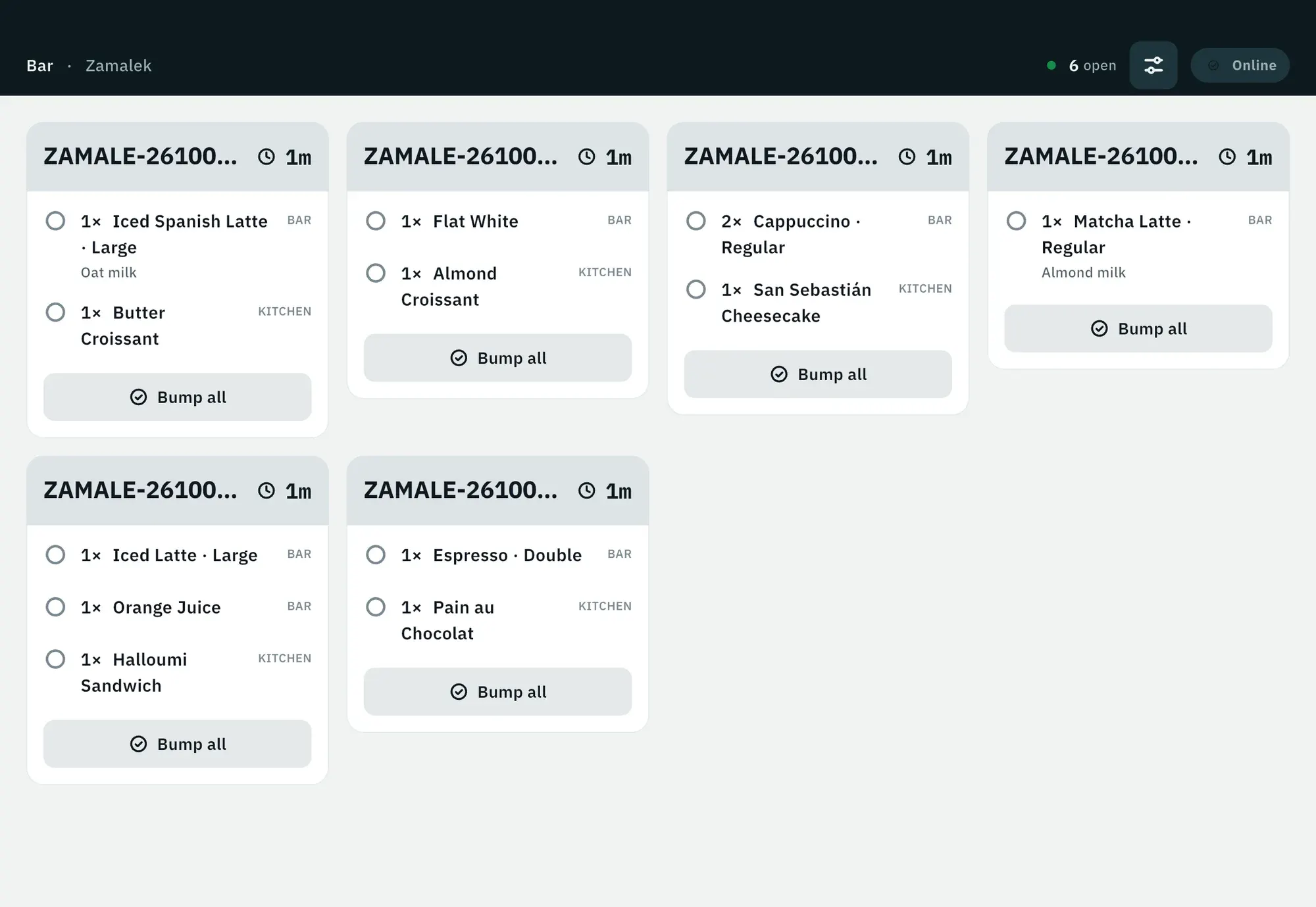
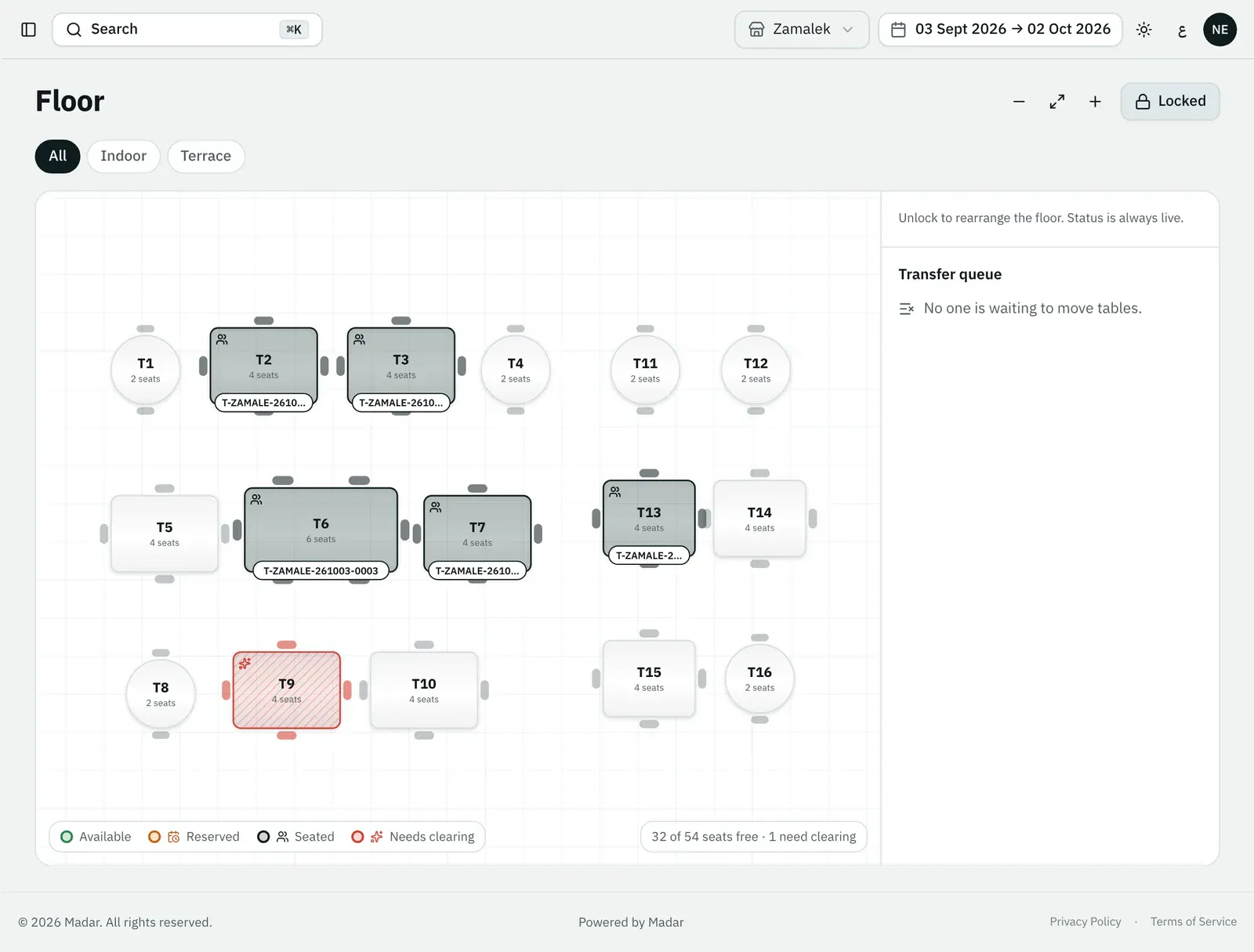
Draw the floor once. Every till and every waiter's handheld shows it live: who's seated, who has waited long, which table needs clearing. In the kitchen, each station gets its own screen.
- Every order lands on the station that makes it, with the minutes ticking.
- Guests order from the code on their table, and the round goes straight to the kitchen.
- Bookings by phone or online hold their tables, with WhatsApp messages for the guest.
- Fire a round, move the party, charge the bill and mark the table cleared.
- Bump a line as it's done, or the whole ticket.
- On the shop's Wi-Fi, tills, handhelds and kitchen screens reach each other directly.
Ordering & delivery
From the first tap to the doorstep.
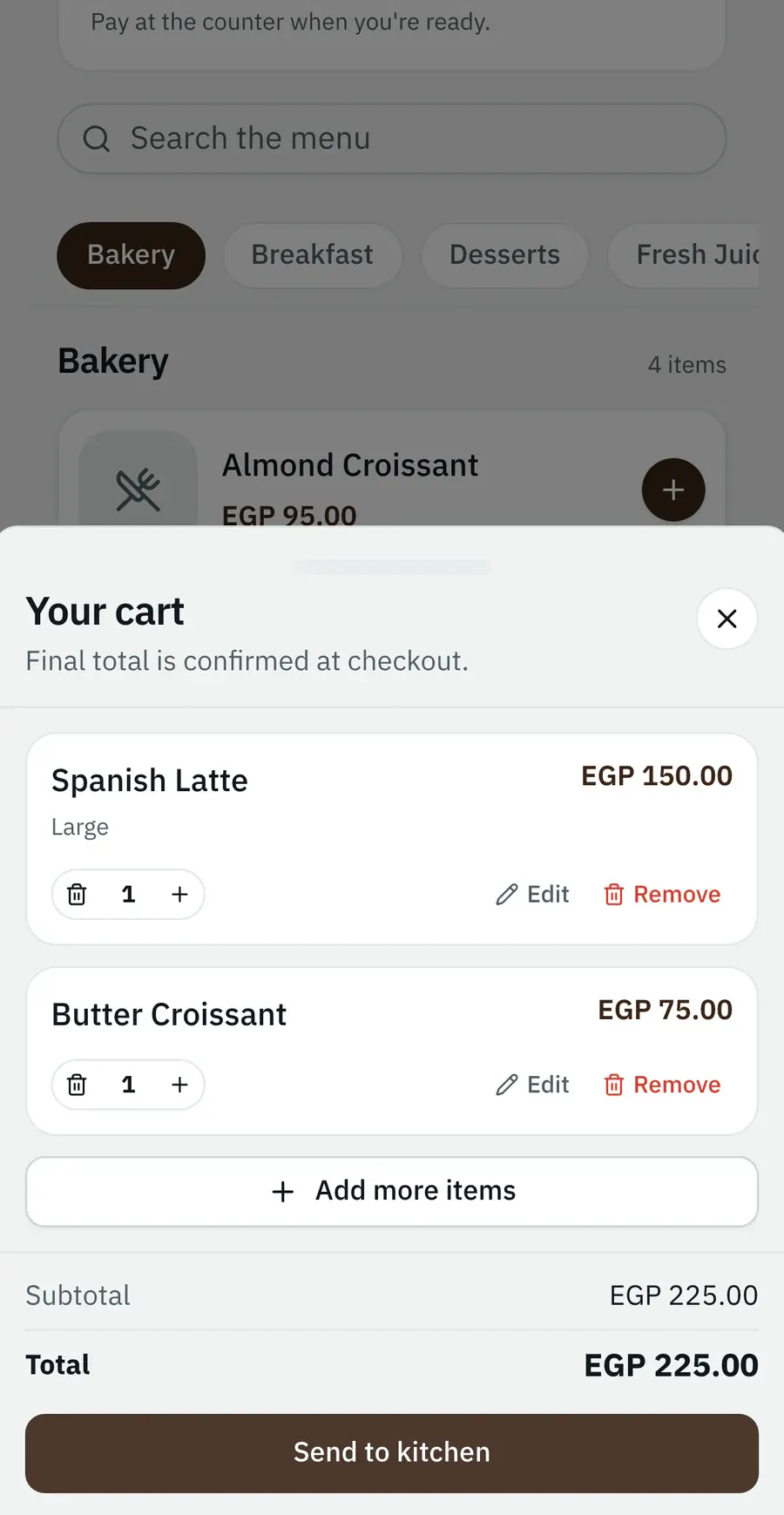
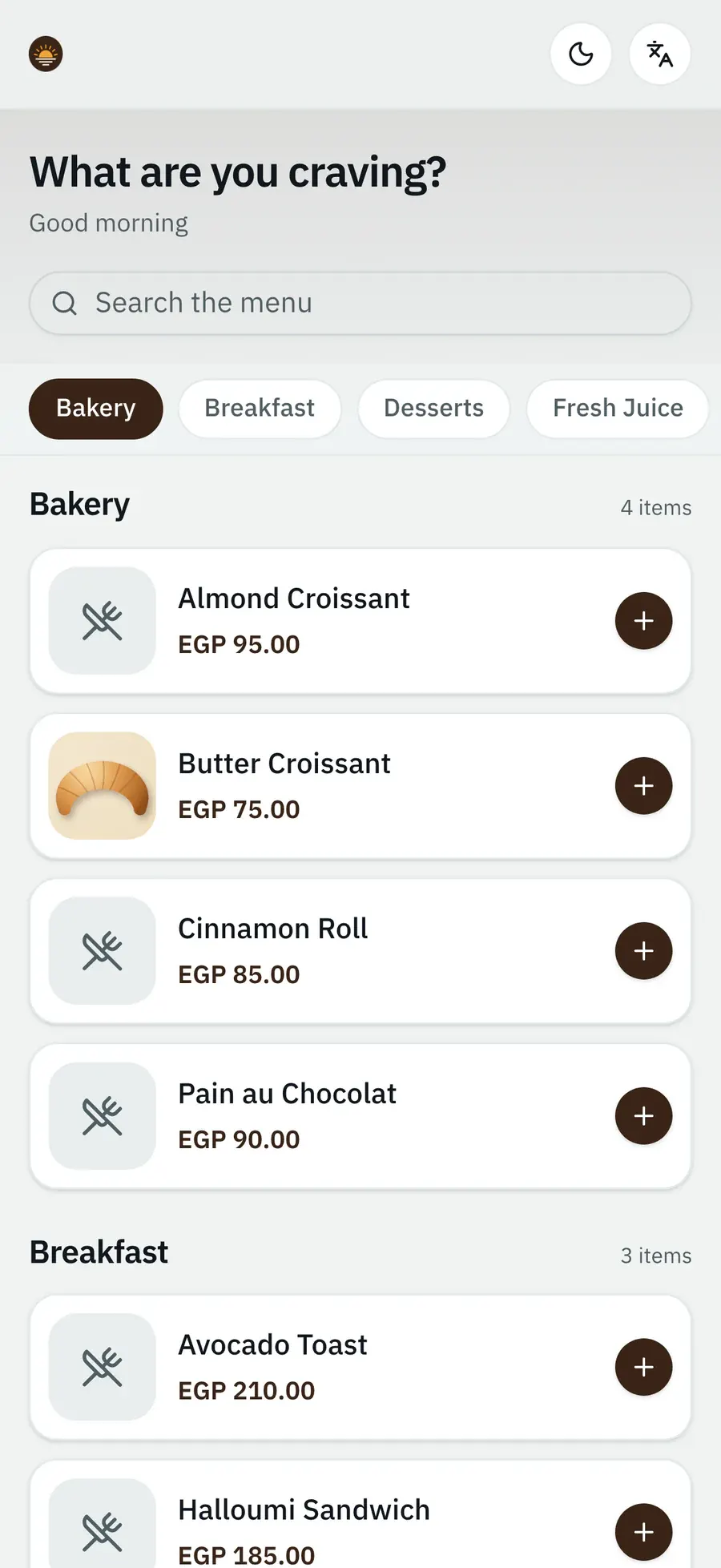
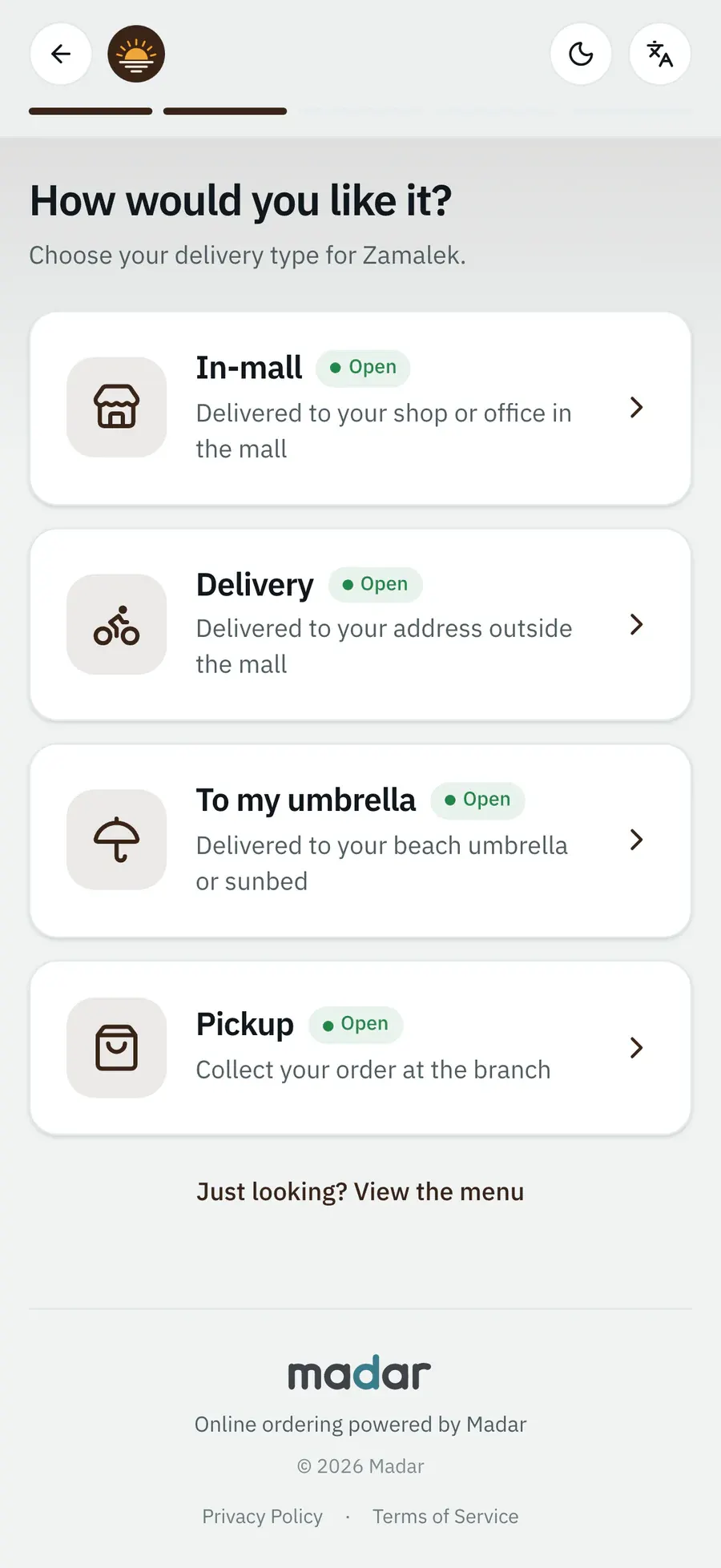
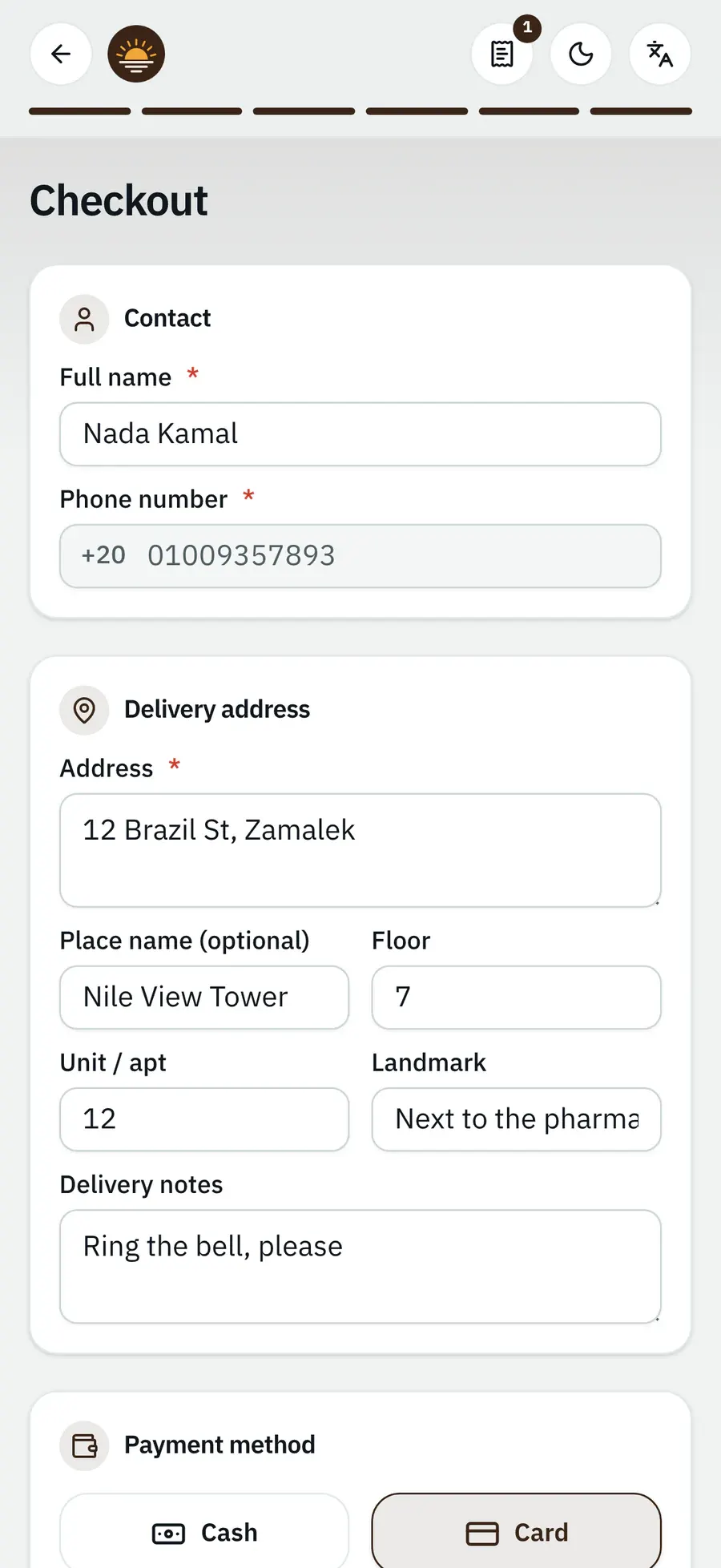
Your own ordering page, in Arabic or English, with nothing to download. Guests order from your menu, the till works one queue, and every delivery closes into the same ledger as a counter sale.
- Pickup, delivery, in-mall or to a beach umbrella, each switched on per branch with its own hours and fee.
- Delivery priced by real road distance, quoted live at checkout.
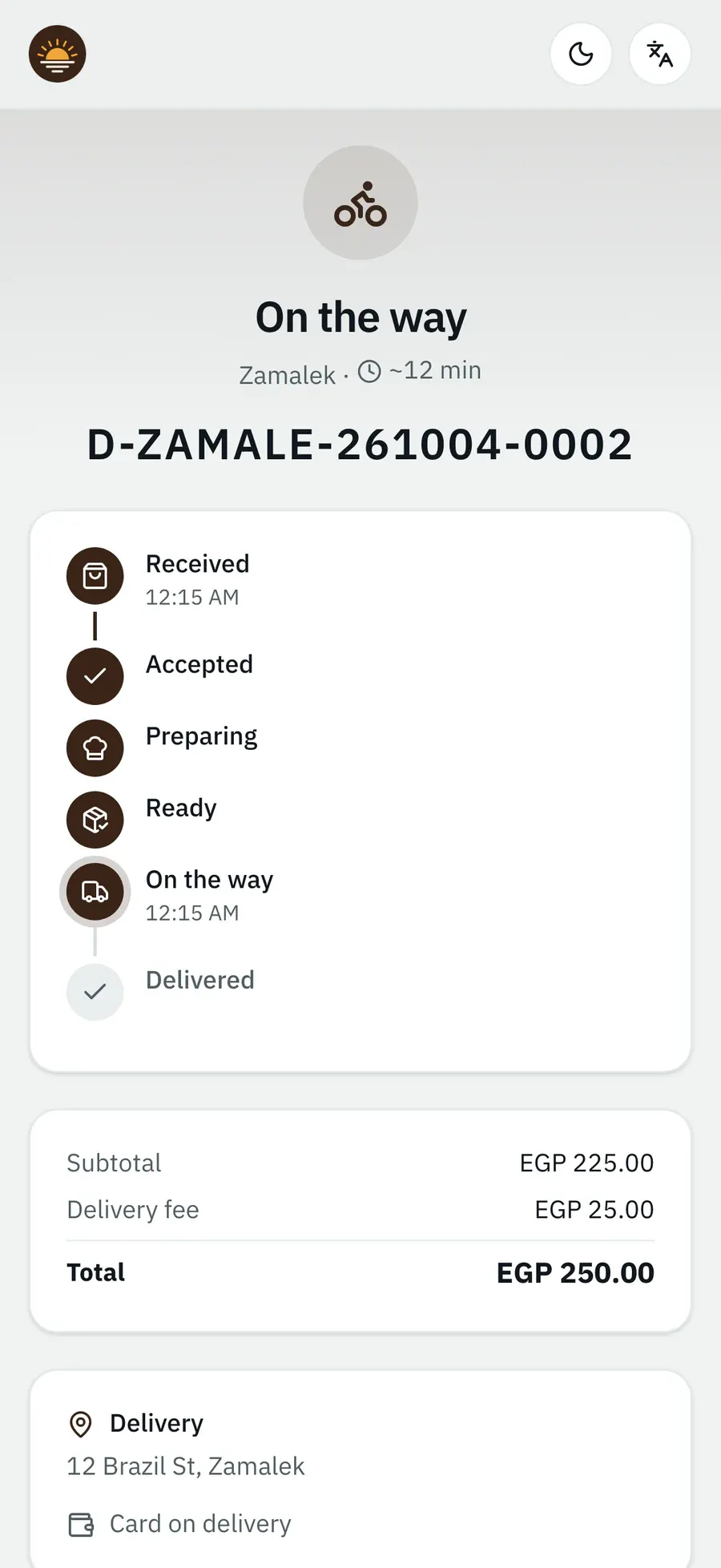
- Orders flow from received to delivered, and the guest follows every step.
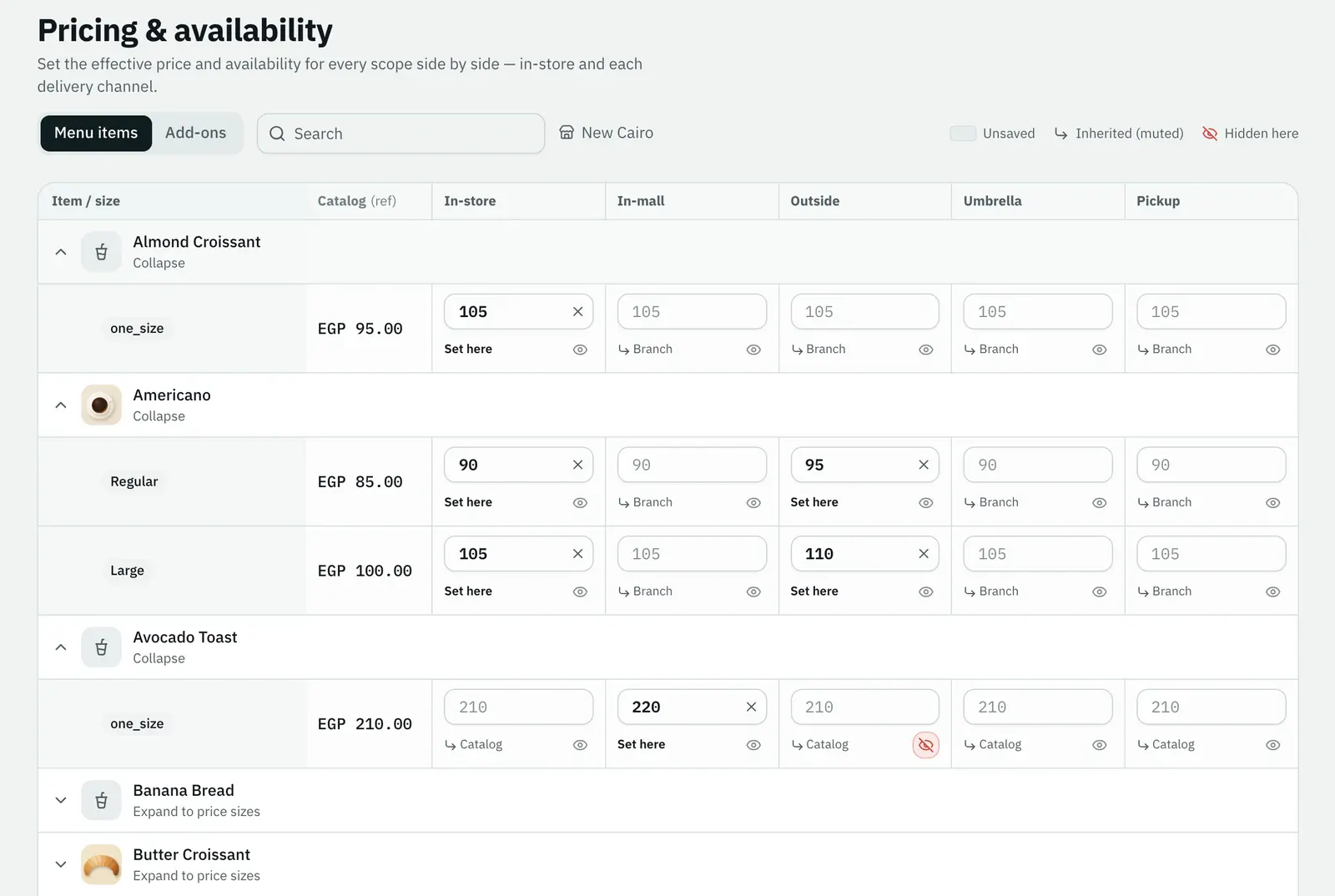
- Each channel can carry its own prices and availability.
- An optional WhatsApp code confirms the guest's number, and saved addresses come back next time.
- A links page for your Instagram bio: order, menu, rewards card and bookings in one place.
Loyalty
In their wallet, not in a drawer.
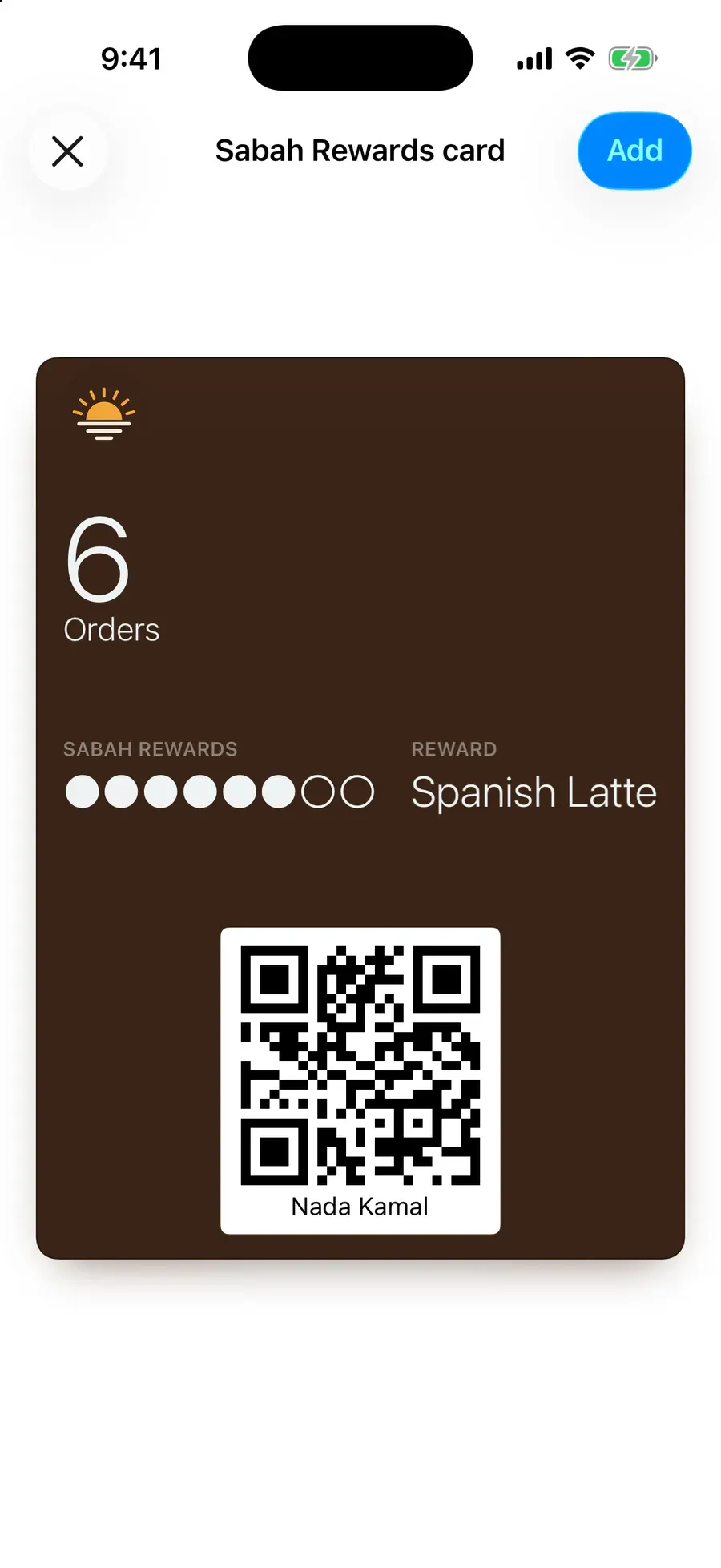
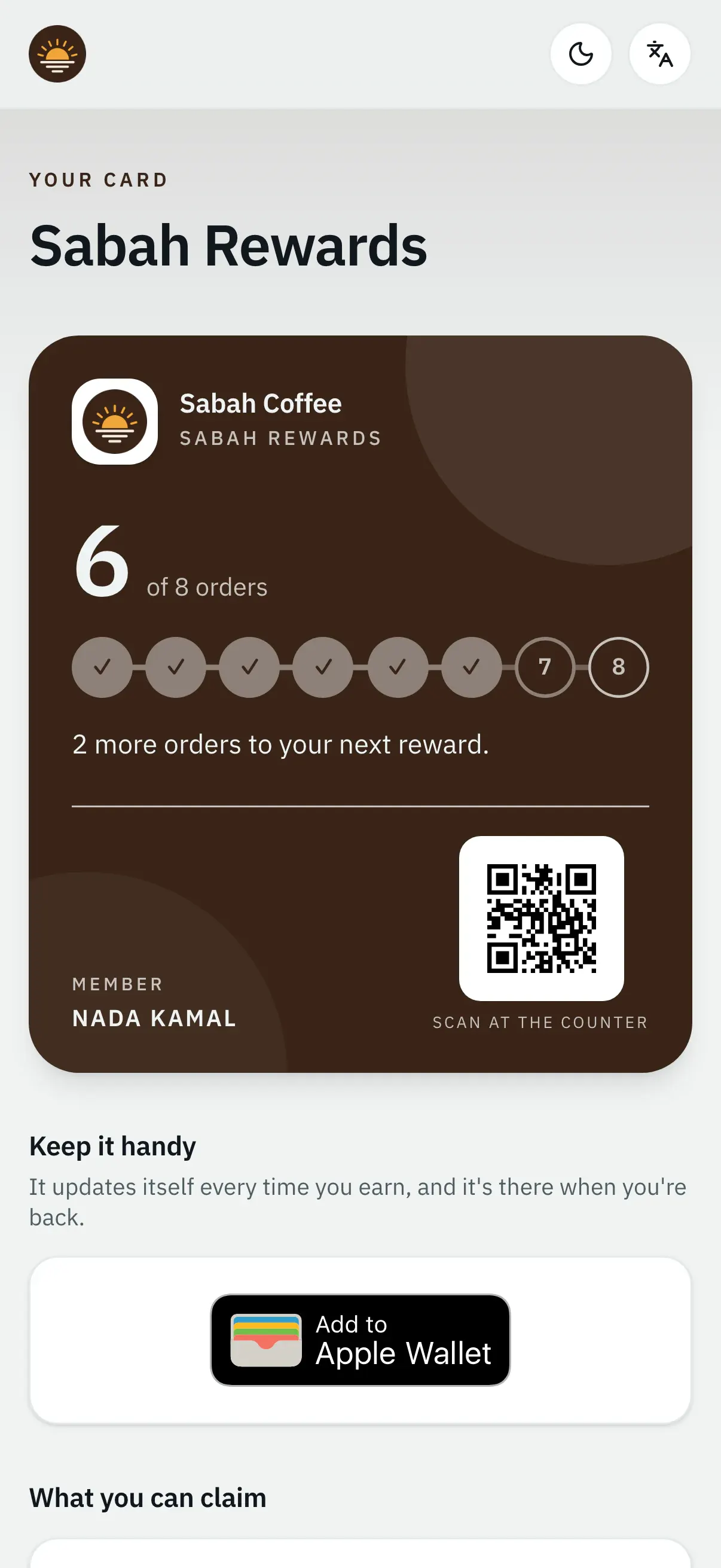
A rewards programme that belongs to your café, not to a marketplace. Points per pound or a stamp per order, carried in Apple Wallet and Google Wallet and updated the moment the balance changes.
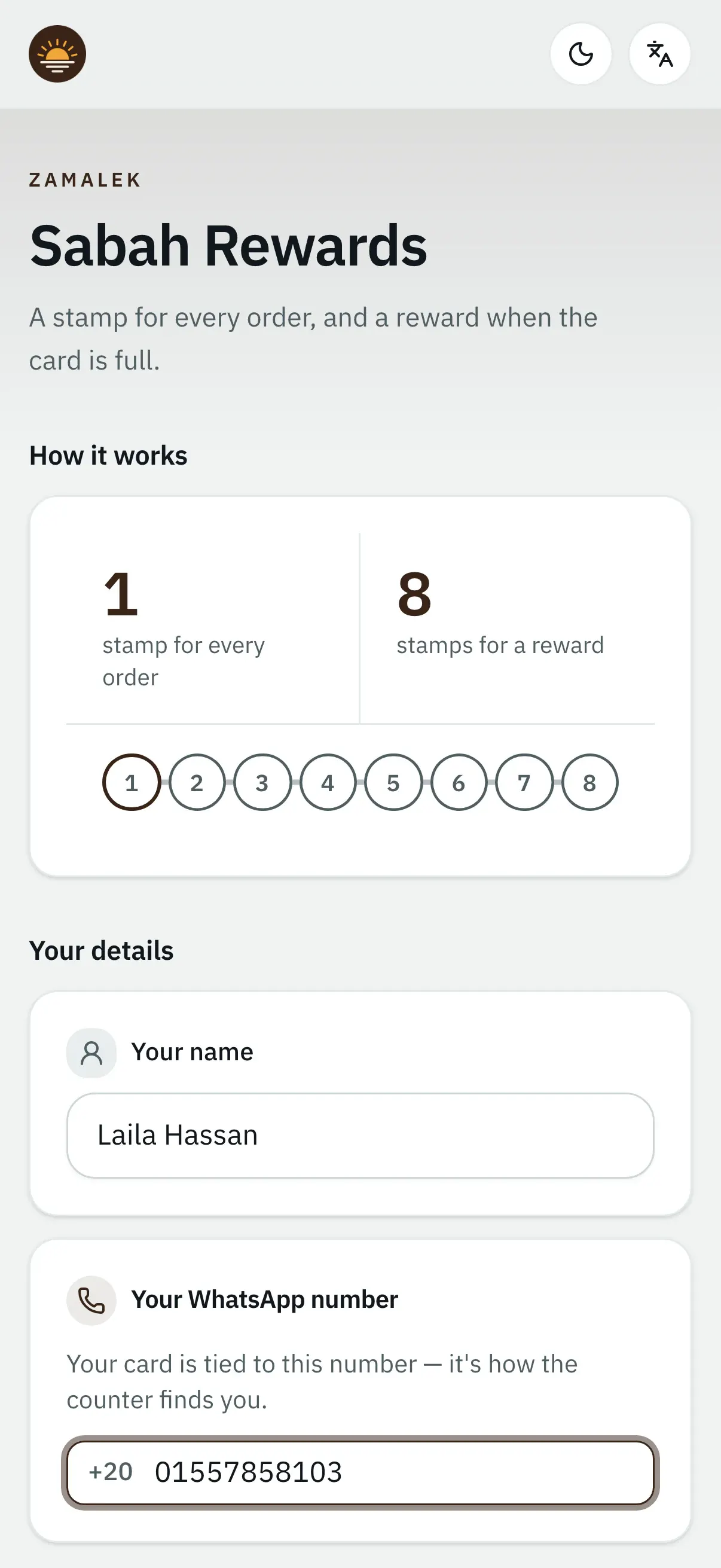
- Joining takes a name and a number, from a QR at the counter, a receipt or a link in your bio.
- The pass can surface on a guest's lock screen near one of your branches.
- Birthday and win-back messages reach the wallet card first, with WhatsApp only as a fallback.
- Choose rewards from your menu, or open the whole menu at one price: collect five, get anything.
- Redemption happens at the till, priced by the server.
- No Madar till? Rewards by Madar runs the stamp card on its own, from a web app at the counter.
- Every member gets their own page: balance, progress, rewards and past orders.
Menu profitability
Your digital menu engineer.
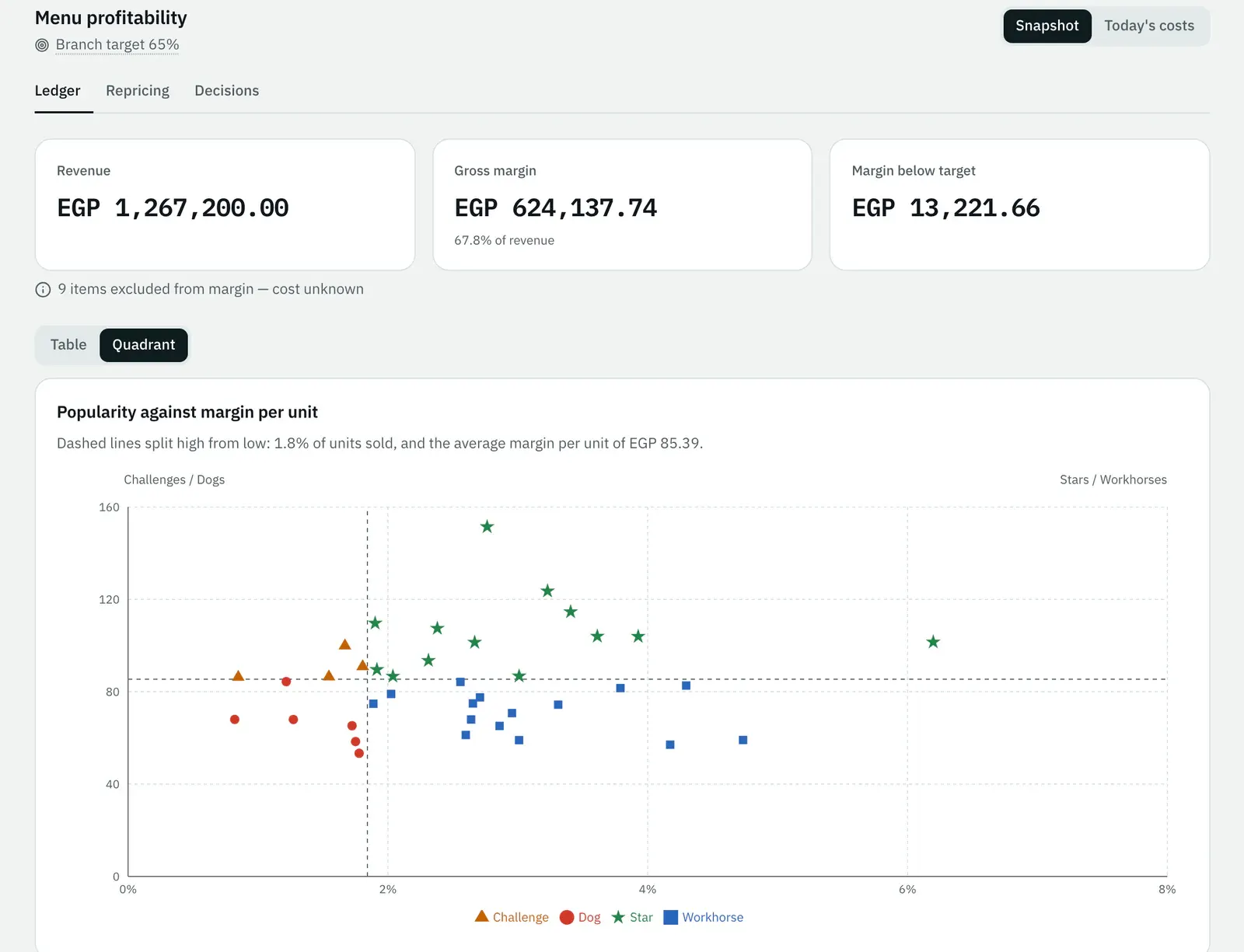
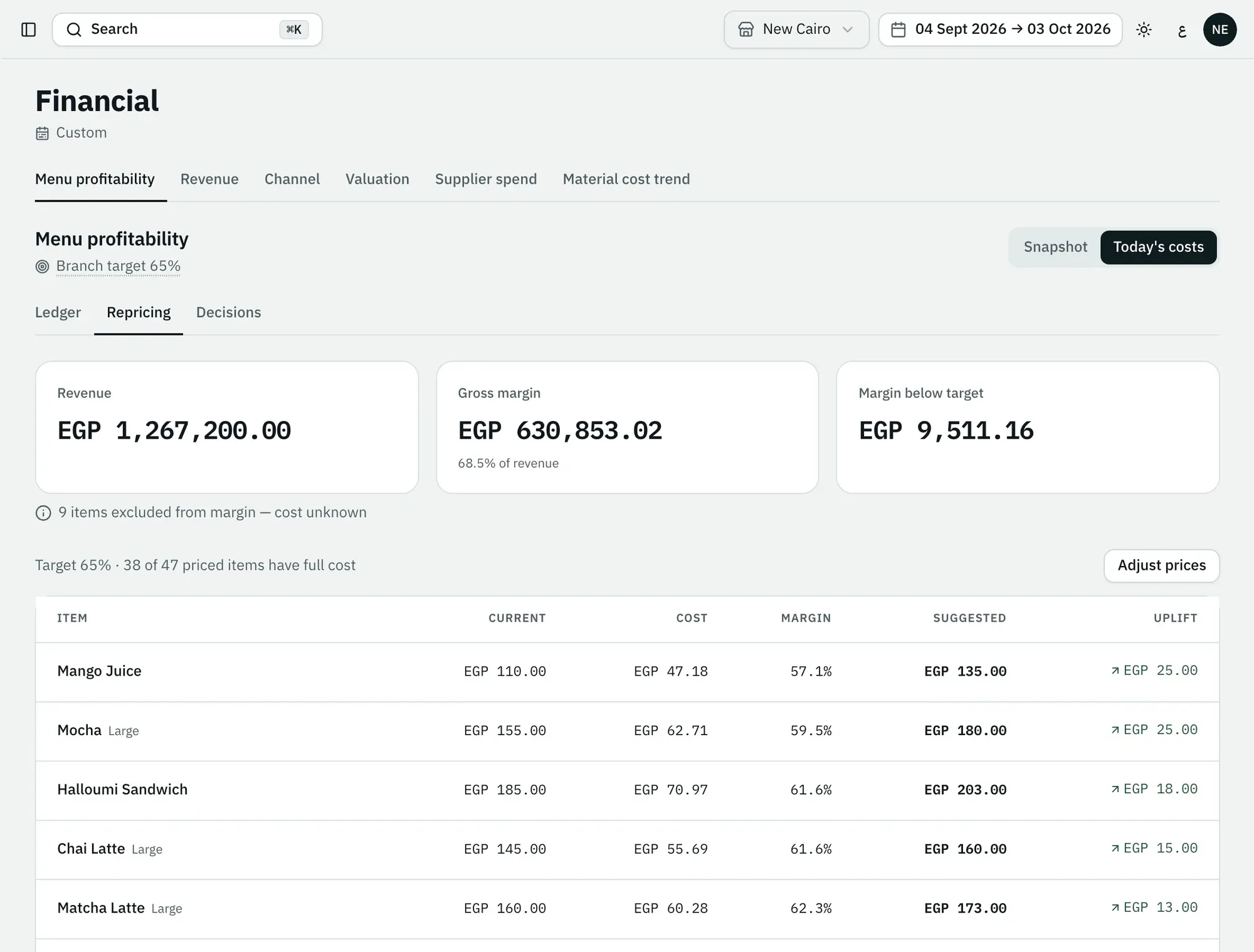
Madar watches popularity and true margin together. Every item lands as a Star, Workhorse, Challenge or Dog, and anything selling below cost or below your branch's target is flagged with a reason.
- Suggested prices bring an item back to its target.
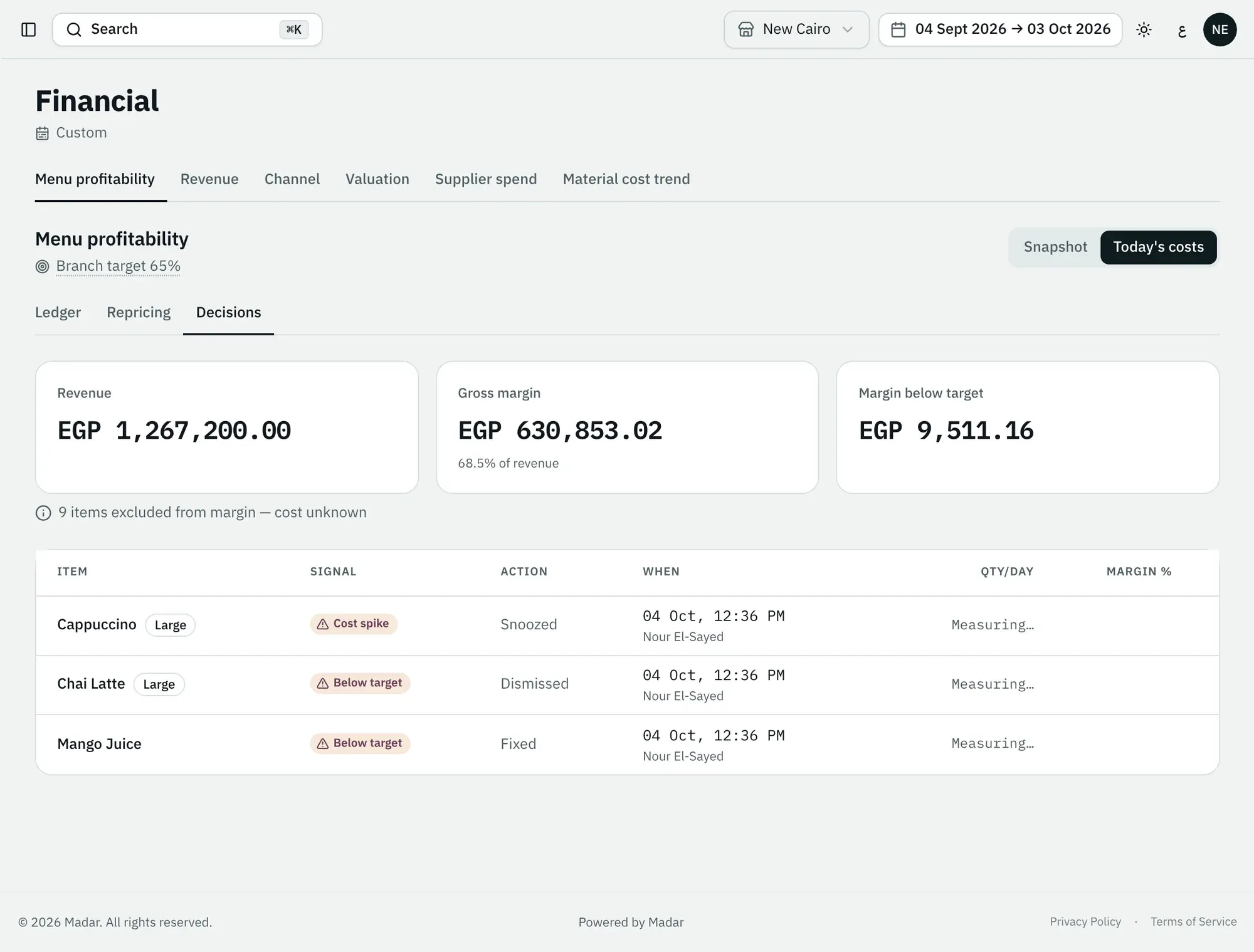
- Fix, dismiss or snooze a flag; the decision log measures whether the call paid off.
- Combos and deals built in, with each part costed and counted on its own.
- Signals for a cost spike, a top seller under target, or no sales at all.
- Read-only: it never edits your menu behind your back.
- Margin targets set per branch.
Basira · ask your numbers
Ask your numbers in plain language.
Basira sits on the same ledger every other screen reads. It matches your question to a verified report, so the answer is your real number, never a guess, and it names the report behind it.
- Read-only by design: it reports and recommends, and never edits your menu, prices or stock.
- Answers follow the asker's role and branch.
- Open the report behind any answer and export it in a tap.
- Answers are computed from your orders, shifts, stock movements and costs.
- The same numbers your Excel exports carry.
- Charts and tables from the same verified reports.
Which drinks lost margin this week?
Three drinks slipped under your 60% target at New Cairo.
HQ & groups
Headquarters in your browser.
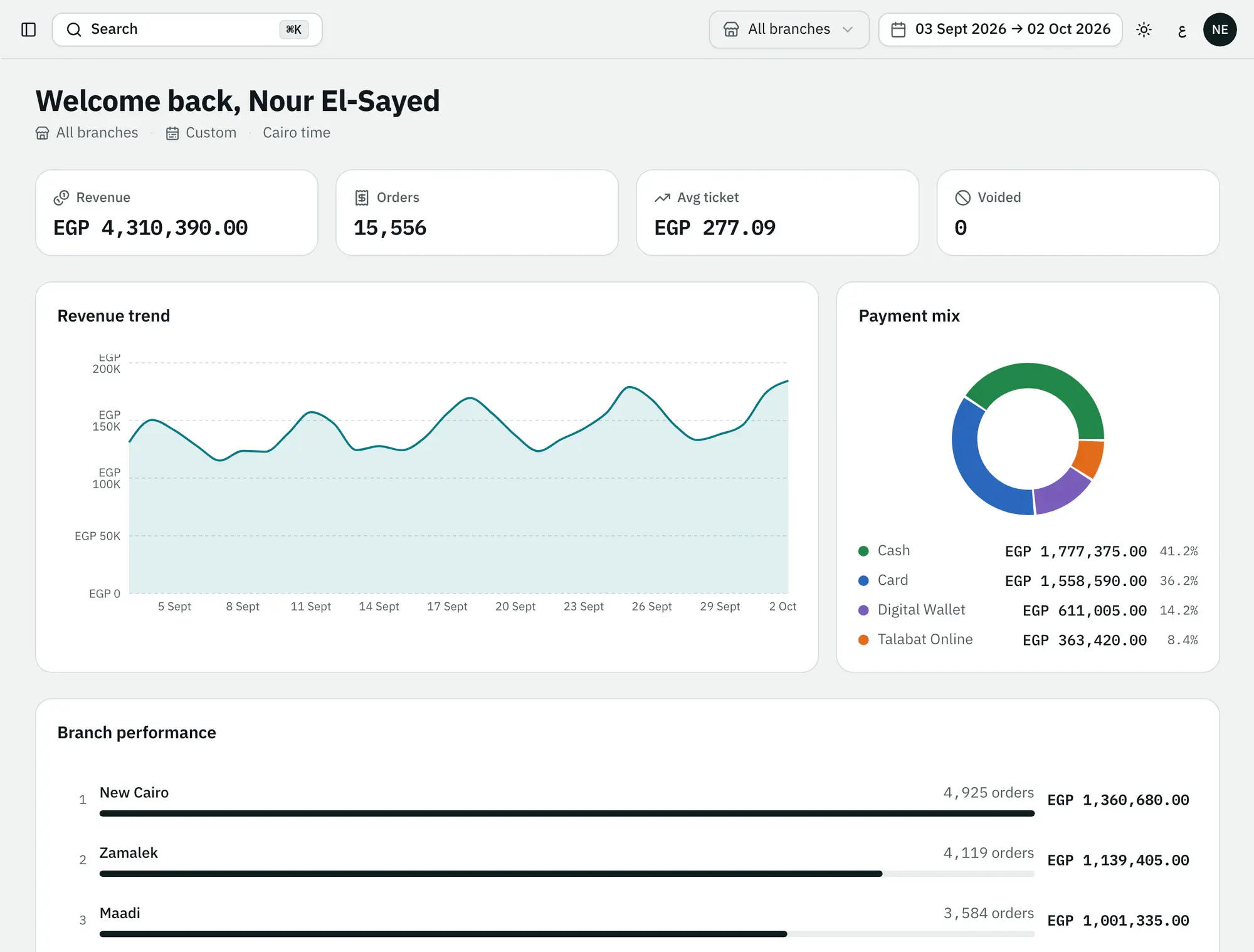
Today's revenue by branch, this week's margin by item, this month's tills by teller: everything filterable, exportable and live, on the web, the desktop app or a tablet.
- One menu for the group: set a price or hide an item per branch, size and channel.
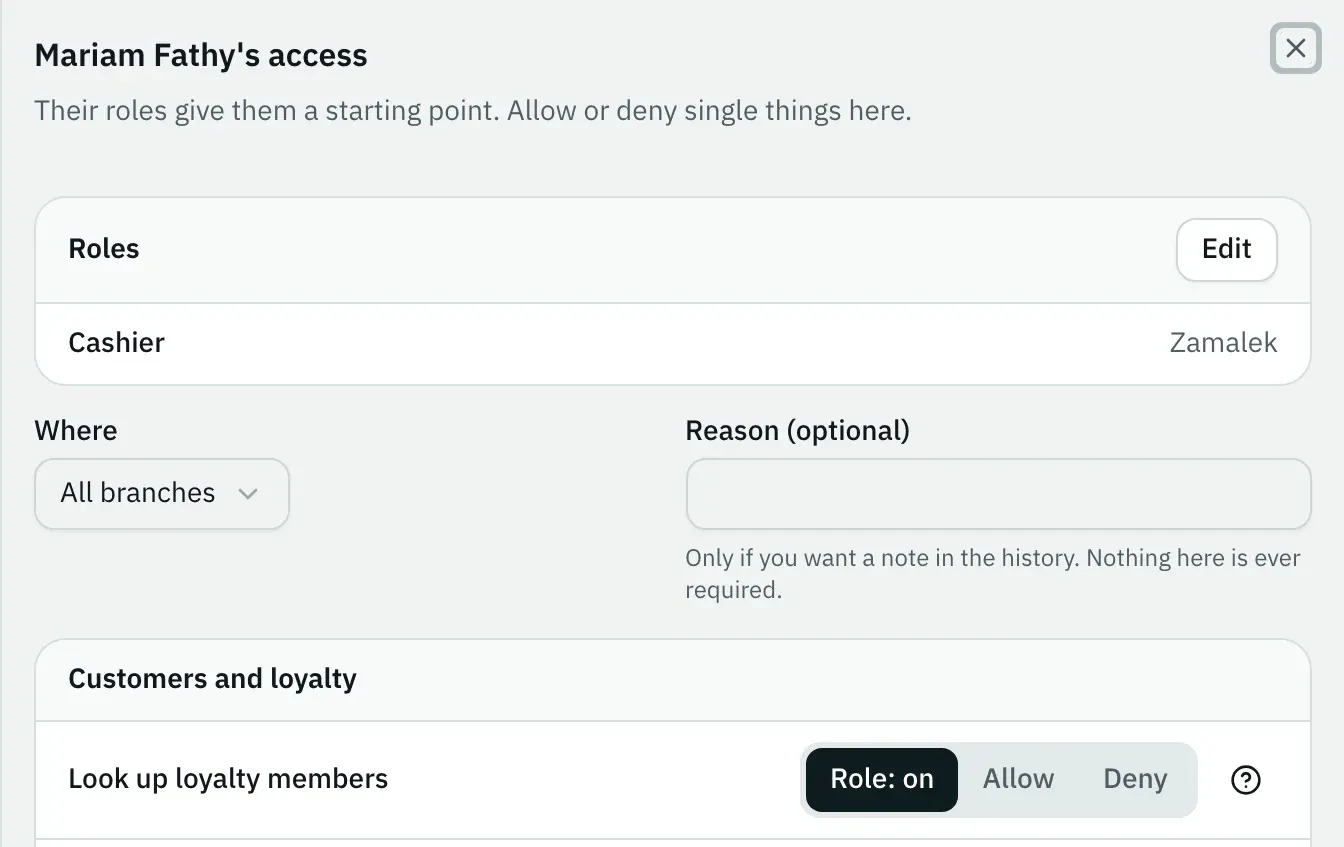
- Five roles (owner, branch manager, cashier, waiter, kitchen) plus your own, with any single permission per person.
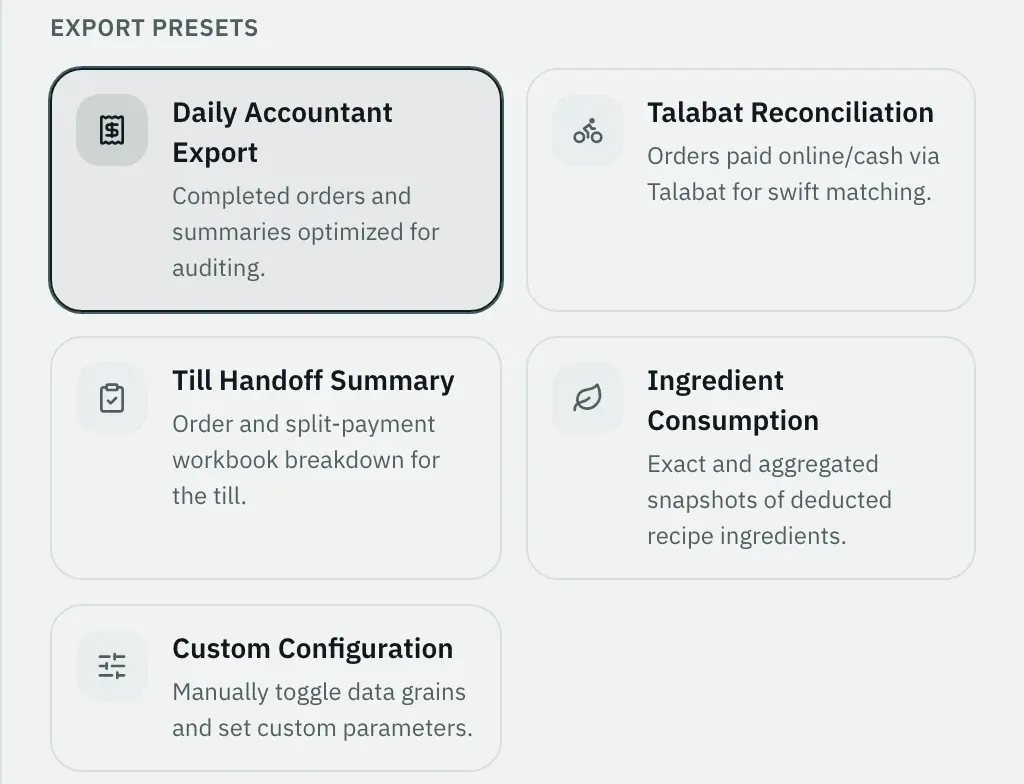
- Excel exports with the totals row already in, scoped to whatever you've filtered.
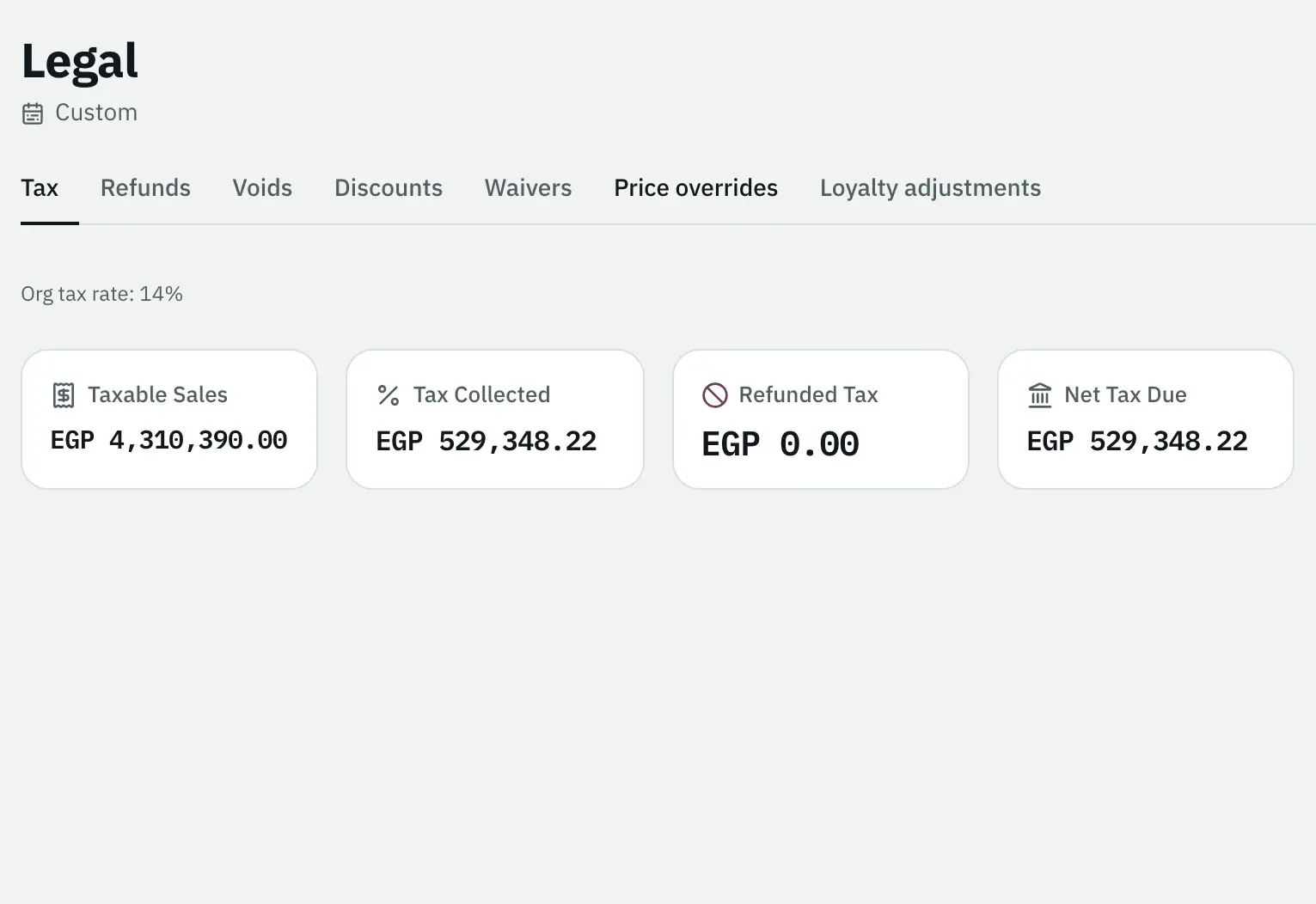
- Legal reports put VAT next to refunds, voids, discounts and overrides: who did what, and who approved it.
- Owners sign in with a password; staff use a 6-digit PIN on the till.
- A branch manager sees their branch, an owner sees the group, and organisations never mix.
Dawam
Attendance that feeds payroll.
Staff clock in on their own phones inside the branch zone, and the hours land on a timesheet that becomes the payslip.
- Late arrivals, overtime and missing clock-outs flagged inline.
- Leave, overtime and corrections approved from one queue.
- A payroll run that can't be confirmed until every exception is cleared.
Setup & branding
Tenders, channels and your own name.
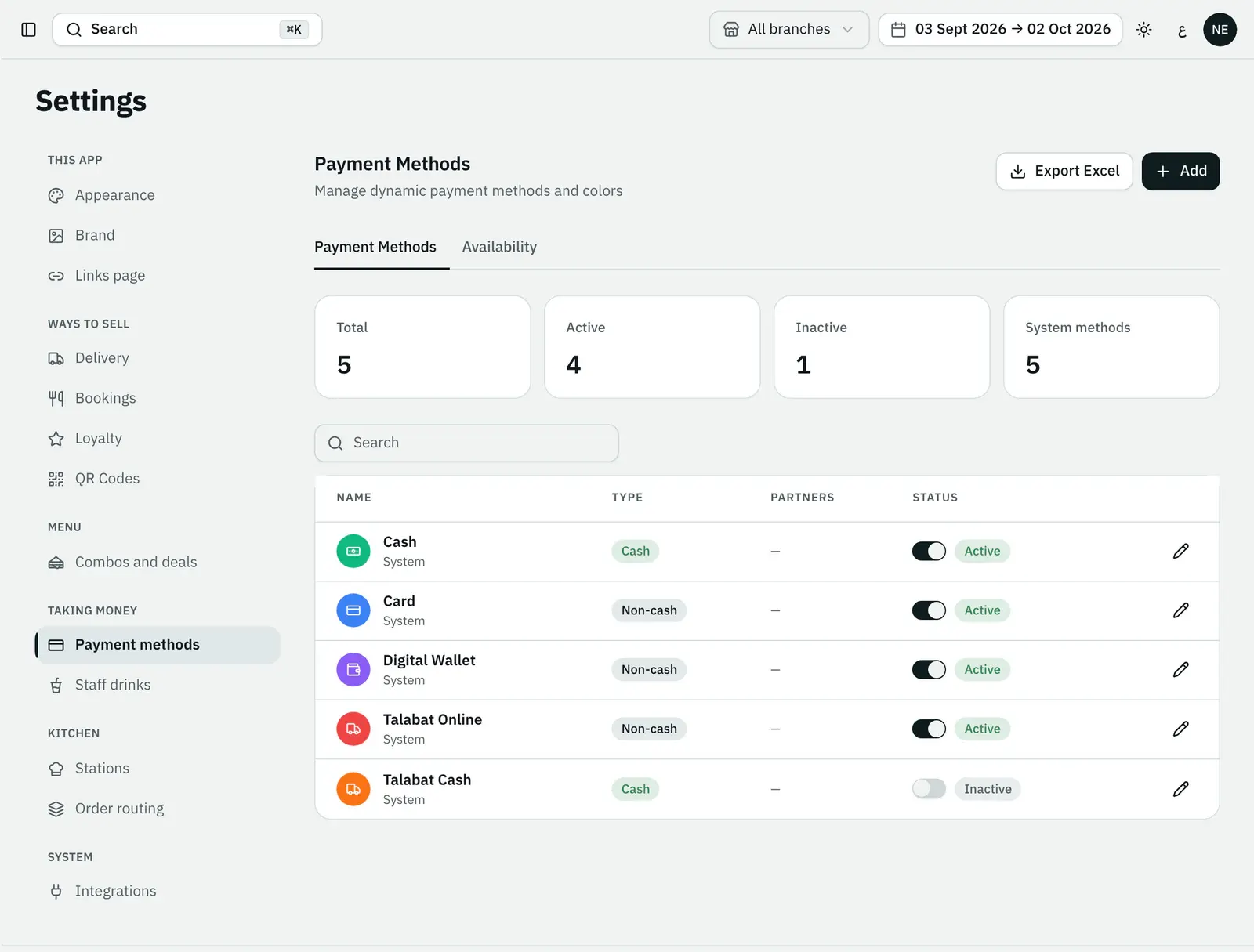
Payment methods, channels and partners you control, and with Advanced Operation, your café's own logo and colours on every page a guest sees.
- Add a partner tender, an aggregator or a mall wallet, and set whether it counts as cash; reports follow.
- Retire a method without deleting it, and history still reconciles.
- Partners can get a read-only order feed for one branch.
Madar Free
Just need a till?
One branch, one till, the full counter with its floor plan and sales reports, for 0 EGP a month, for good. Sign up yourself in about two minutes.
0 EGP a month
The future
On the roadmap.
Madar ships every week. Here's what just landed and what's in development now. What's in development isn't live yet; ask us where each one stands.
-
Just shipped
Combos & deals
Meal deals with choices, fixed bundles, “make it a meal” and cart-wide deals, on the till, the QR menu and online ordering.
-
Just shipped
Table bookings
Bookings by phone or online that hold their tables, with WhatsApp messages and a link for the guest to manage theirs.
-
In development
Egyptian eInvoicing
Direct integration with the Egyptian Tax Authority portal for invoice compliance, with no manual data entry.
-
In development
Paymob card terminals
Card payments on Paymob terminals, sent from the till, once Paymob opens the integration.
-
In development
Talabat orders
Talabat orders landing straight in the till's queue: no tablet on the side, no retyping.